
Lunar New Year Sale— 30% OFF Sitewide
Move faster into 2026 — buy a machine, get pen bundles free during our Lunar New Year event.
GET Weekly Flash deal - 40% OFFENJOY SITEWIDE 30% OFF DEAL NOWGrab BUY 1 GET 1 FREE BUNDLE TODAYiAuto Plus Early Access
— 40% OFF Flash Deal
Celebrate the Lunar New Year with the official launch of iAuto Plus, now fully tested and ready to perform.
For one week only, enjoy 40% OFF starting from USD 4,799.
Choose between versions with or without QR scanner.
Limited to 10 units in the first batch as we gather real-world feedback to shape the future of iAuto Plus.
Share detailed feedback or a review after purchase to redeem a partial or full refund.
Open to all customers worldwide.
Lunar New Year Gift Bundles
(BUY 1 GET 1 FREE)
To symbolize strength, momentum, and creativity in the Year of the Horse, enjoy the following Buy Machine, Get Pen Bundle Free offers:

30% OFF Sitewide
Lunar New Year Offer
Enjoy savings on machines and accessories (unless otherwise stated).
No coupon code needed — discounts apply automatically at checkout.
Pen Plotters — Precision in Motion
Inspired by the speed and strength of the Horse, our pen plotters deliver smooth, accurate movement for every line you create. From A3 to A0, these machines are built to carry your ideas forward into the new year with confidence, precision, and creative freedom.

Automatic Writing Machines — Steady Power for a Strong Start
The Horse symbolizes endurance and forward drive. Our automatic writing machines are built for consistency, long hours, and large-volume writing tasks. Perfect for businesses and professionals, they help you enter the new year with efficiency, reliability, and effortless output.

Accessories — Tools for a Complete Journey
A smooth journey requires the right support. Our accessories enhance performance, protect your equipment, and ensure reliable results throughout the year. This Lunar New Year, complete your setup and prepare for a year of steady progress and creative success.

How to Redeem Your Lunar New Year Offer
Enjoying our Lunar New Year offers is simple and seamless. Just follow the steps below to unlock your savings and free gifts.
Step 1:
Choose
Your
Machine
Step 2:
Enjoy
30% OFF
Automatically
Step 3:
Receive Your Free Pen Bundle
Customer Testimonials & Success Stories
Let customers speak for us

I'm happy with this machine. after getting used to the setup, it works well and the drawing results are excellent. I'm enjoying experimenting with different pens. Good for creative artwork.
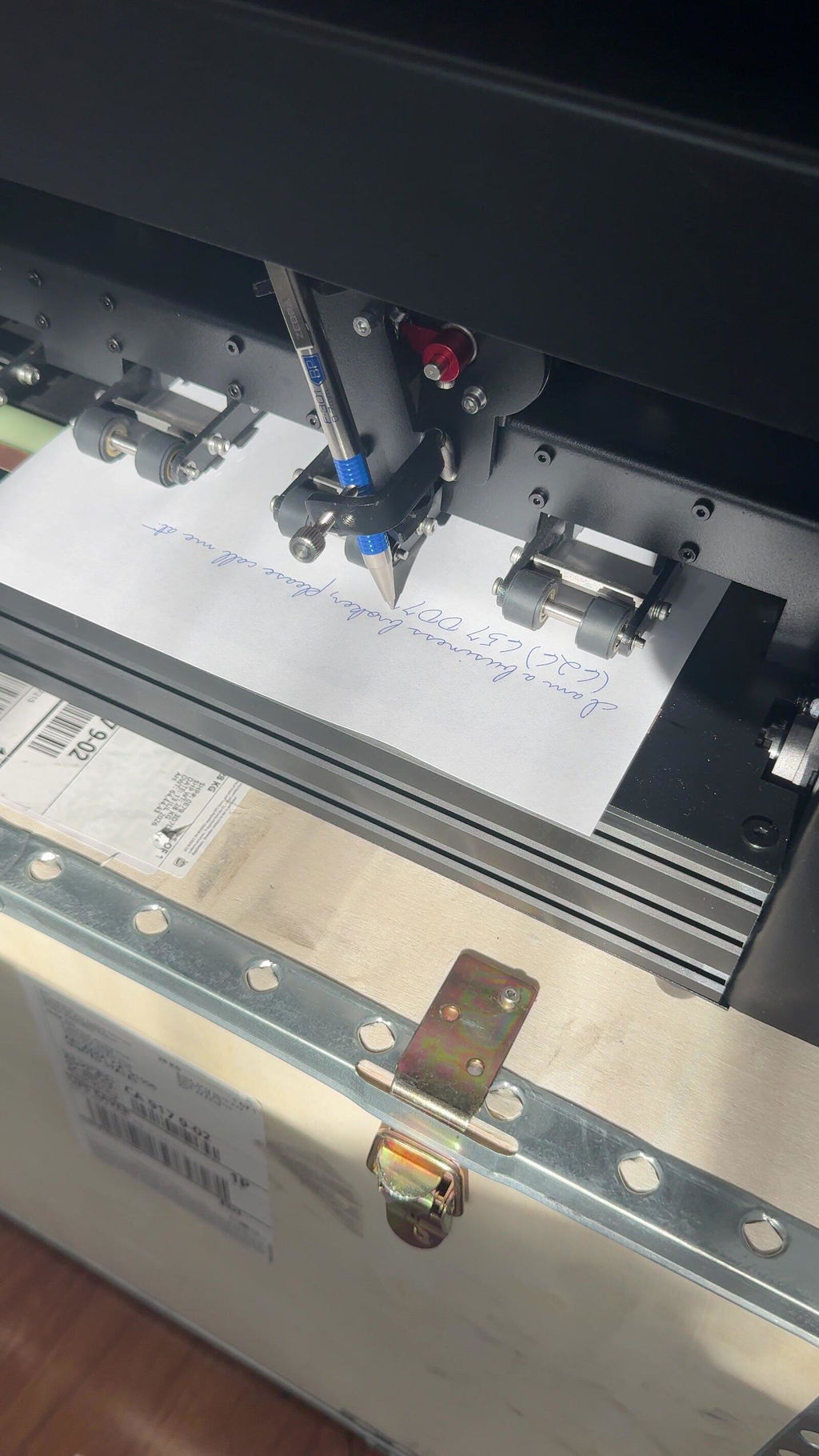
I'm a RE broker. My first batch of 50 letters brought a phone call from an owner now talking to me about selling — a deal that would carry roughly $40,000 in gross commission. These letters get opened.
This is not a printer. It's a spring-loaded clamp holding an ordinary ballpoint, on a gantry that moves the pen like a hand. You can feel the writing on the back of the page.
Ships in a plywood freight crate and sets up in ten minutes. Handles #10 envelopes and letterhead, writes cleanly around a pre-printed logo and footer. About 72 seconds per envelope, under 5 minutes per letter.
Best hidden feature: a local HTTP API with plain-JSON layouts. I used Claude Code to build a custom app that runs my whole mail room, and I don't write code. It also walked me through importing free commercial handwriting fonts — fast, and the quality is excellent, so you aren't limited to the eight in the box.
Fair warnings: you need a good database — the machine faithfully writes whatever junk you feed it. Load one spare sheet per stack; the feeder can miss the last one. And I've only had it a short while, so I can't speak to long-term durability yet.
Absolutely worth the money.
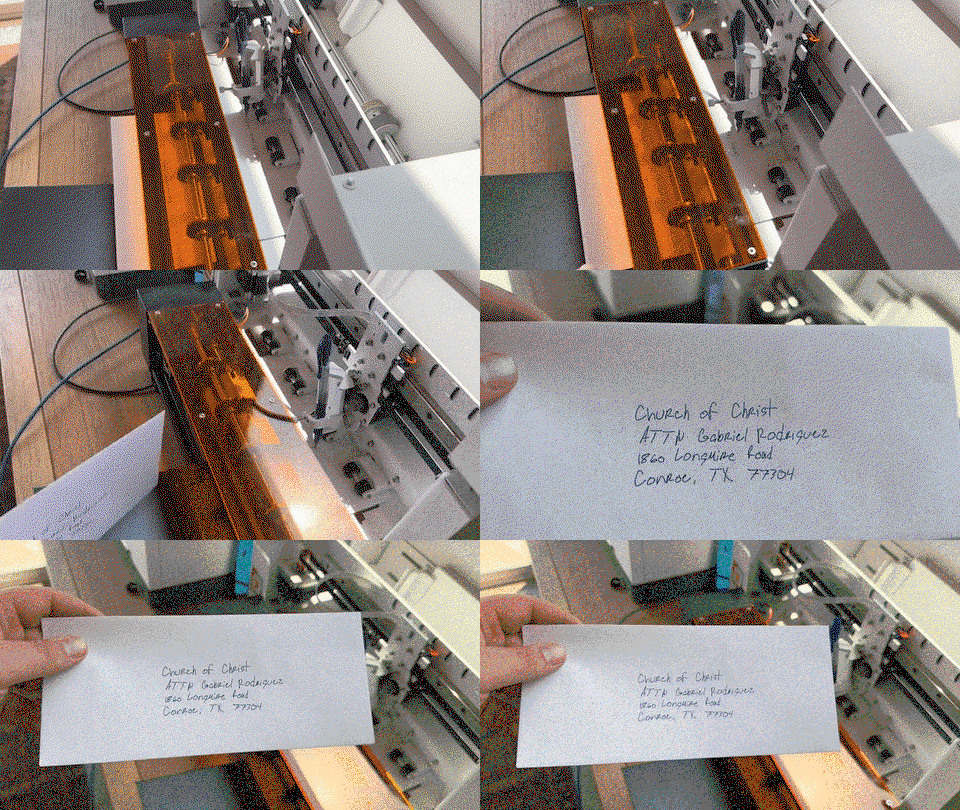
We’ve had the iAuto Plus for about 10 months now and have run 10,000+ pieces through it. Overall, really happy with it. The actual machine is built well and the writing looks great because, well, it’s literally a real pen writing it. There is a bit of a learning curve and the software could be better, but once you get your setup figured out it works really well. Would definitely buy again. My tip is to get CREATIVE. If you do any kind of sales, marketing, customer appreciation... it will pay for itself fast.
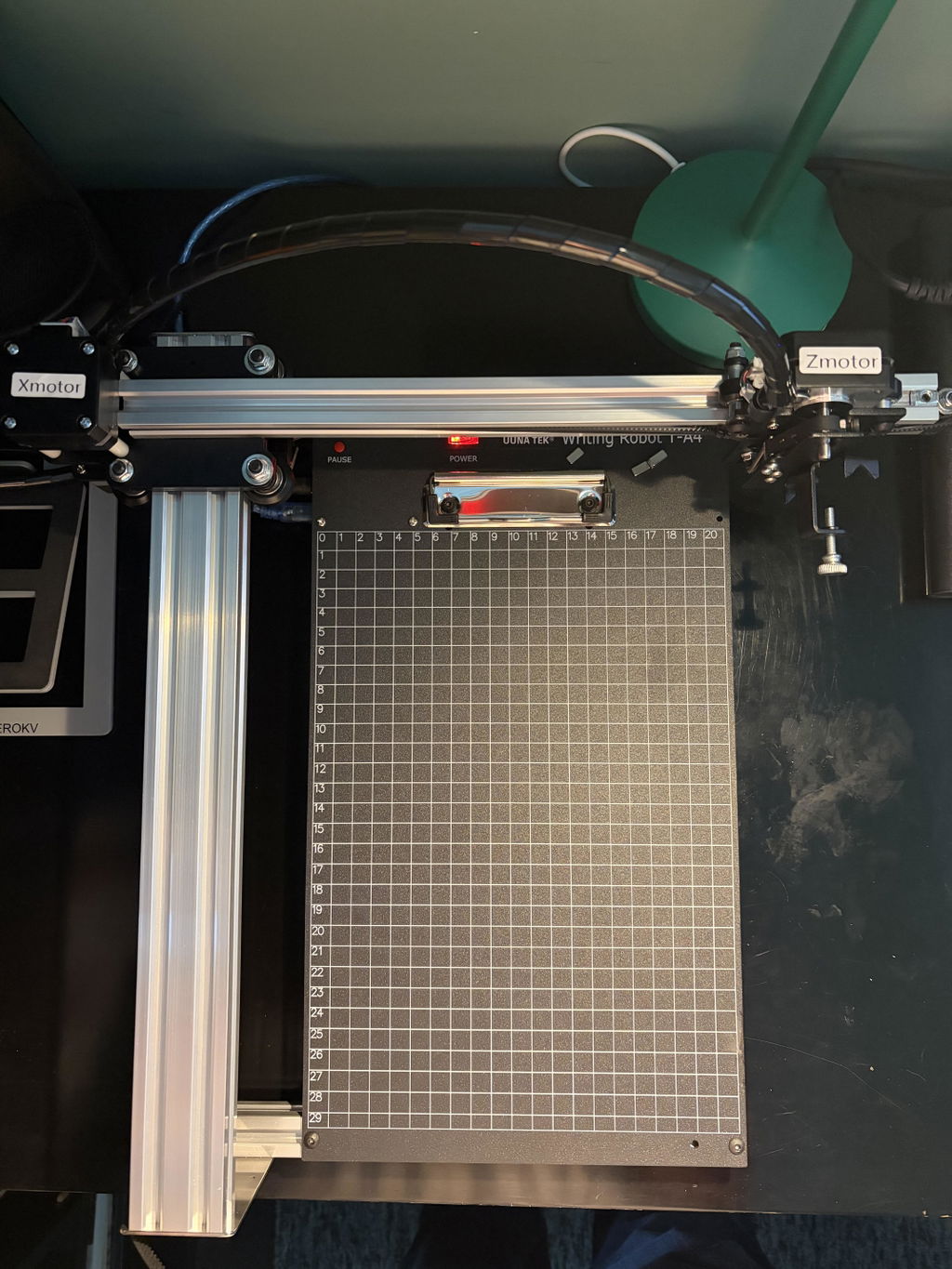
I have only just unboxed the UUNA TEK iDraw 2.0, and I’m already using it to draft ideas for my own artwork. First impressions are extremely positive.
The machine arrived very securely packaged, and assembly was remarkably straightforward. UUNA TEK’s video tutorial on YouTube is clear, concise and very easy to follow, so I had the plotter assembled and ready to go with very little effort.
Setting it up with Inkscape was equally painless. It was simply a matter of opening the Inkscape Extensions folder and copying across the extension supplied in the zipped file from UUNA TEK. Once that was done, the iDraw controls were immediately available within Inkscape and I was ready to start experimenting.
What has impressed me most so far is the sheer robustness of the machine. It feels like a serious, well-engineered piece of equipment rather than a lightweight hobby gadget. The speed of the drawing is also impressive, while retaining excellent precision.
Perhaps its greatest strength, though, is how intuitively it can slot into an existing creative workflow. There is remarkably little faffing around, recalibration or technical fuss between having an idea on screen and seeing it physically drawn. For a creative tool, that matters enormously: the technology quickly gets out of the way and allows you to concentrate on what you are actually making.
The iDraw 2.0 clearly has a multitude of potential uses, but for me, as a way of drafting, developing and physically exploring ideas for my own art, I suspect it is going to prove invaluable.
A great buy, extremely well made, impressively fast and refreshingly straightforward to use.
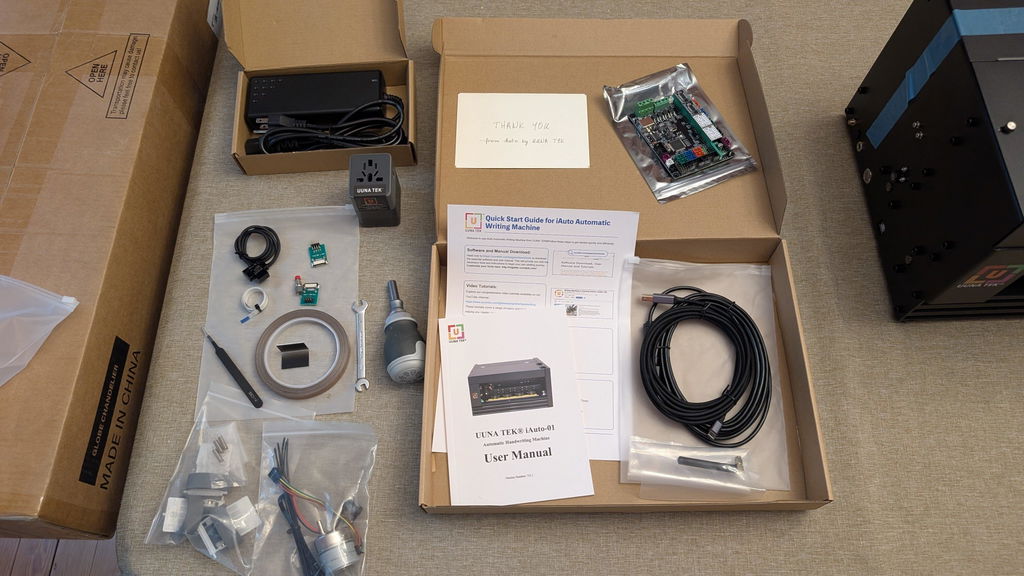
We purchased the Uuna Tek iAuto to add an authentic, personal touch to customer shipments, mailings, cards, and postcards for our business outreach initiatives. At its price point, it offered a very affordable way to scale handwritten messaging without sacrificing quality.
Workflow & Software
Custom Messaging: We write standard messages using an XP-Pen tablet in Adobe Illustrator, export as SVG files, and send them directly to the machine.
Mail Merge: For addressing envelopes, we use the mail merge feature coupled with a custom font created using Uuna Tek's online generator app.
Learning Curve: Expect a brief setup and learning process. Adjusting layout and orientation per project takes some fine-tuning, particularly to ensure the rollers maintain a firm grip when writing close to the edges.
Hardware Performance & Practical Tips
Paper Feeding: When working with thicker stock (like 12pt cardstock), giving the cards a subtle concave bend before loading greatly improves feeding consistency.
Pen Selection: The machine accommodates a wide variety of pens. Hard-body pens hold up best and stay secured; if you use basic disposable pens like cheap Bics, make sure to clamp them tightly to avoid slippage during long jobs.
Essential Accessory: The Automatic Paper Dropping Accessory is a must-have for unattended operation. Without it, the unit can only handle a few pieces before pages pile up and cause ink transfer. Propping the back of the machine up slightly helps heavier stock drop cleanly into the output stack.
Build Quality & Maintenance
This machine is built like a tank. The solid metal housing and heavy-duty internal components feel extremely durable. The feed rollers are large, grippy, and easy to keep clean.
During a recent peak week, we ran over 5,000 postcards through the machine in 7 days, and it performed smoothly without a hiccup. The included extra parts kit offers great peace of mind, and Uuna Tek's official YouTube channel makes self-maintenance straightforward.
Verdict
If you are willing to learn the nuance of layout setup and pair it with the paper dropping tray, the iAuto is a true workhorse. We look forward to getting years of reliable use out of ours!
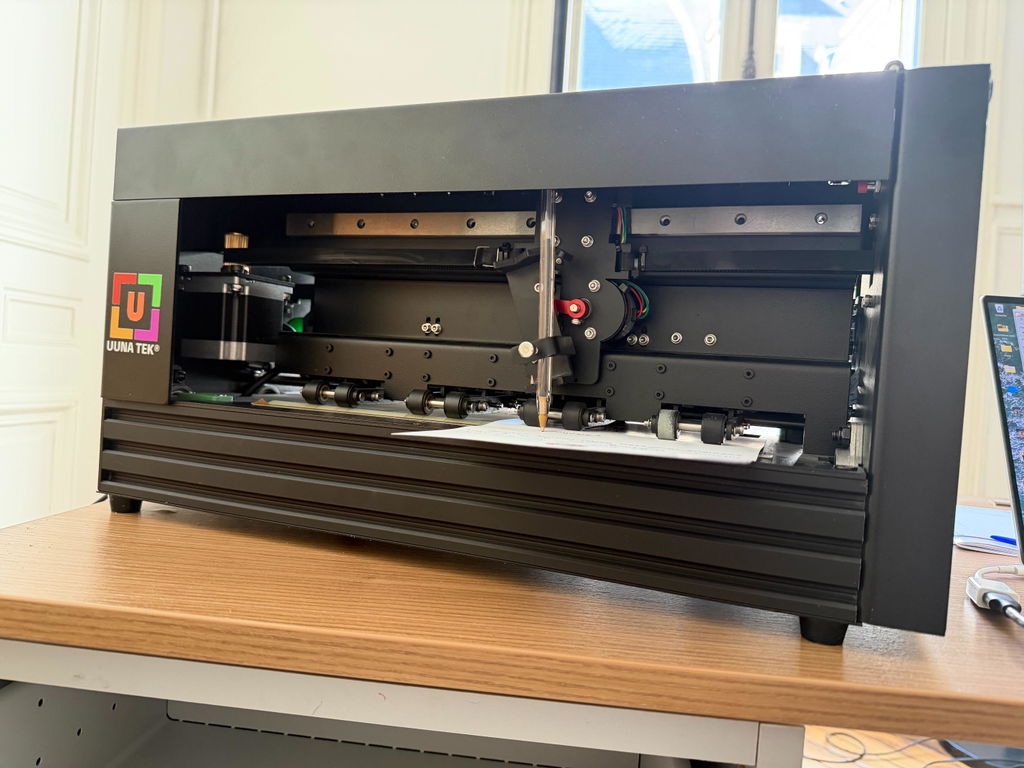
I have been using my UUNA TEK iAuto for a year now.
The software feels a little old-fashioned at first. However, once you understand how it works, the machine and software performs flawlessly. So far, I have written around 20,000 cards with it, and it has proven to be extremely reliable and robust.
After intensive use, I encountered an issue with the paper-feeding mechanism. I contacted UUNA TEK support via WhatsApp, and they responded immediately. They quickly sent me the necessary replacement parts, along with a clear tutorial explaining how to install them. Once I replaced the parts, the machine was fully operational again.
UUNA TEK is a highly professional and trustworthy company. They manufacture solid, reliable machines and provide excellent customer service.
I recommend them 100%.
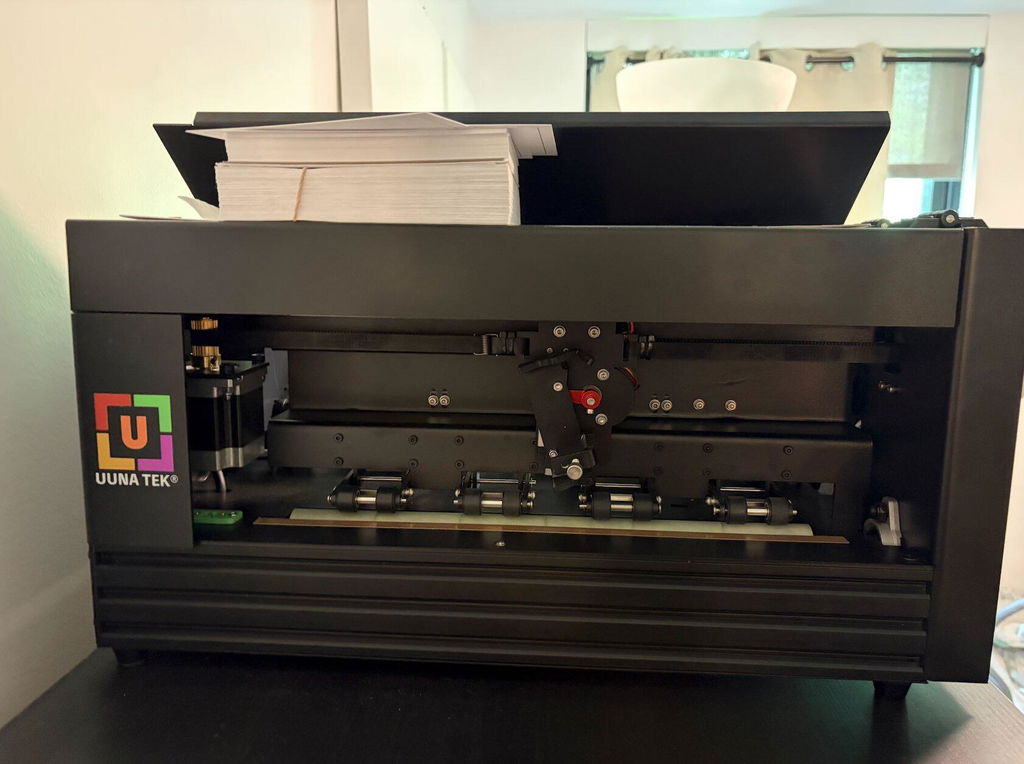
The iAuto handwriting machine is a genuinely impressive device. Build quality is solid — it feels durable right out of the box, and the learning curve is surprisingly gentle even for first-time users. There's something oddly satisfying about watching it work; the mechanical motion holds attention in a way that a printer never could. For outbound sales mail and handwritten thank-you notes, it delivers exactly what you'd want: a personal, human touch at scale without the wrist fatigue. It took me about 30 minutes to get unboxed and set up.
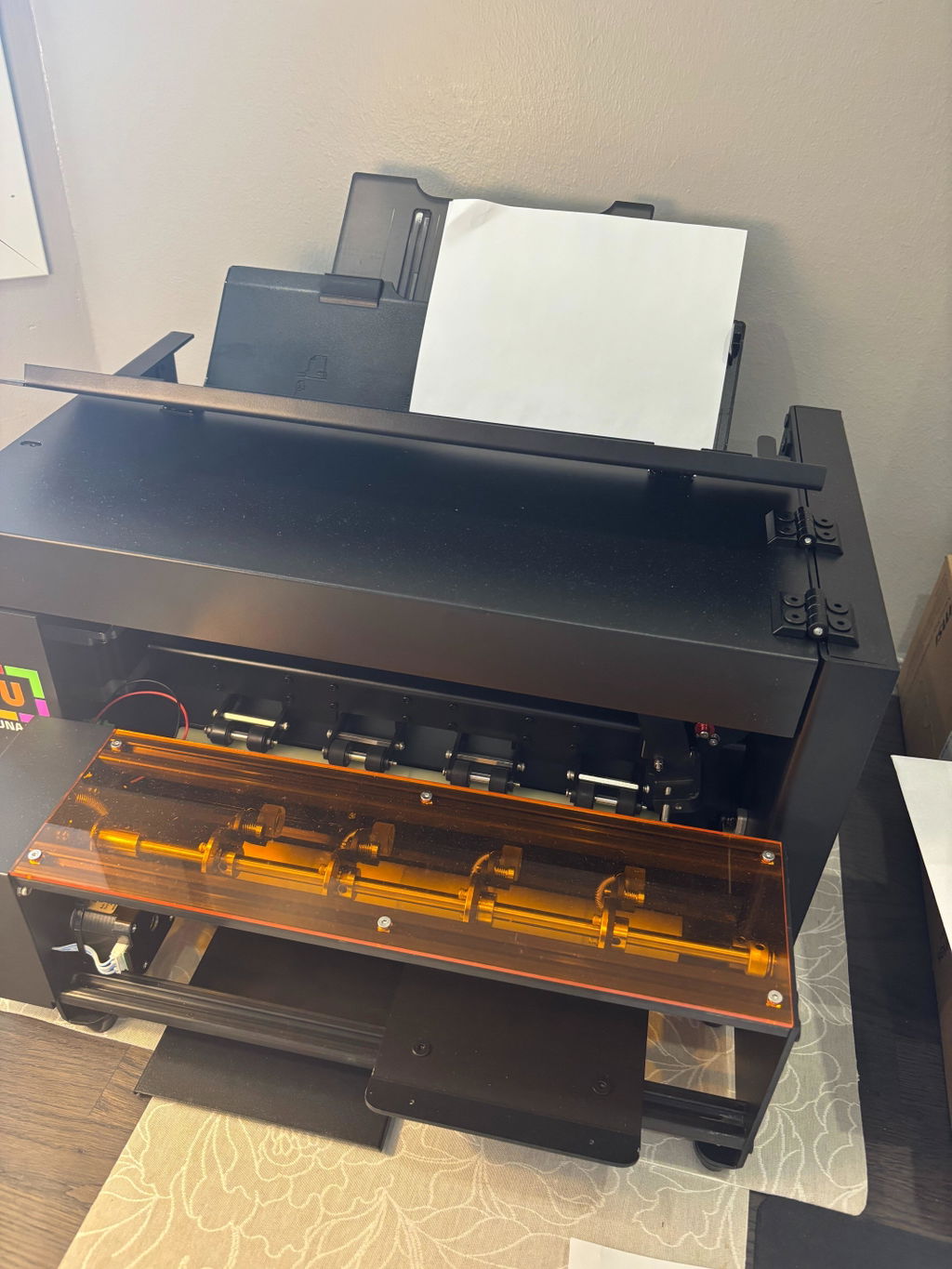
The UUNA TEK iAuto is an absolute game-changer for personalized bulk mailings! It produces incredibly realistic handwritten letters and envelopes with its smart auto-feeder. What truly stands out is the outstanding, proactive customer support — the owner responds quickly and handles every request efficiently with genuine care. Reliable, easy to use, and worth every penny. Highly recommended!
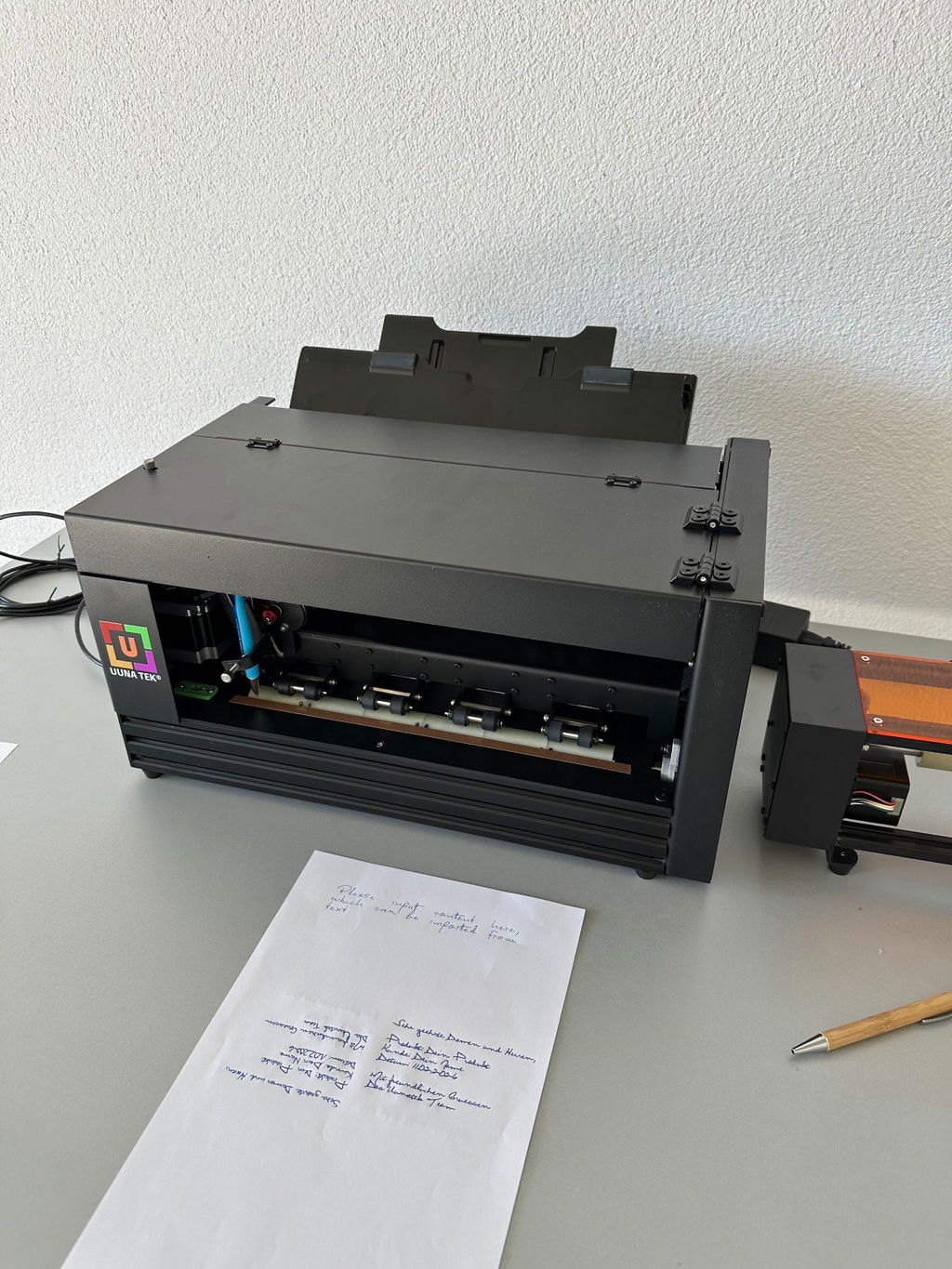
We run a mid-sized company in the D2C space and bought the Uunatek iAuto Handwriting Robot primarily to test whether handwritten customer communication could move the needle for us.
Short answer: it did.
What we like (Pros)
The biggest impact for us was customer loyalty. Handwritten notes simply feel different. They cut through the noise of emails and automated flows. We used the robot for targeted follow-up letters, especially review requests — and saw about a 20% increase in review submissions compared to our previous process. Pro Tipp: If you use a stamp instead of a printed code the likelihood of the customer to open the letter is increased!
It made our brand feel more human and intentional, even though the process is automated behind the scenes.
The machine itself feels solid and well-built. It doesn’t feel like a gimmicky desktop gadget. It runs reliably and gives a professional output.
You're not locked into proprietary pens. We tested different fineliners, ballpoints, and even slightly thicker markers depending on the paper stock. That flexibility makes a big difference if you care about brand aesthetics.
There’s a CURL API interface. It’s definitely more for professionals, but it’s not impossible to work with. If you’re comfortable with basic API integrations, you can automate things quite deeply (e.g., connecting it to order triggers or CRM exports).
For us, that’s where the real power lies.
What could be better (Cons)
1. The GUI software feels outdated
The main downside: the graphical software feels a bit old-school. It works, but the UX/UI could definitely use a refresh. It’s functional, not beautiful.
If you’re expecting a super modern SaaS-style interface, you might be slightly disappointed.
Final Thoughts:
If you're just looking for a novelty device, this might be overkill.
But if you're running a business and thinking seriously about offline customer touchpoints in a digital world, this thing is extremely interesting.
For us, it paid off — especially in review generation and perceived brand value.
Happy to answer questions if anyone is considering it.
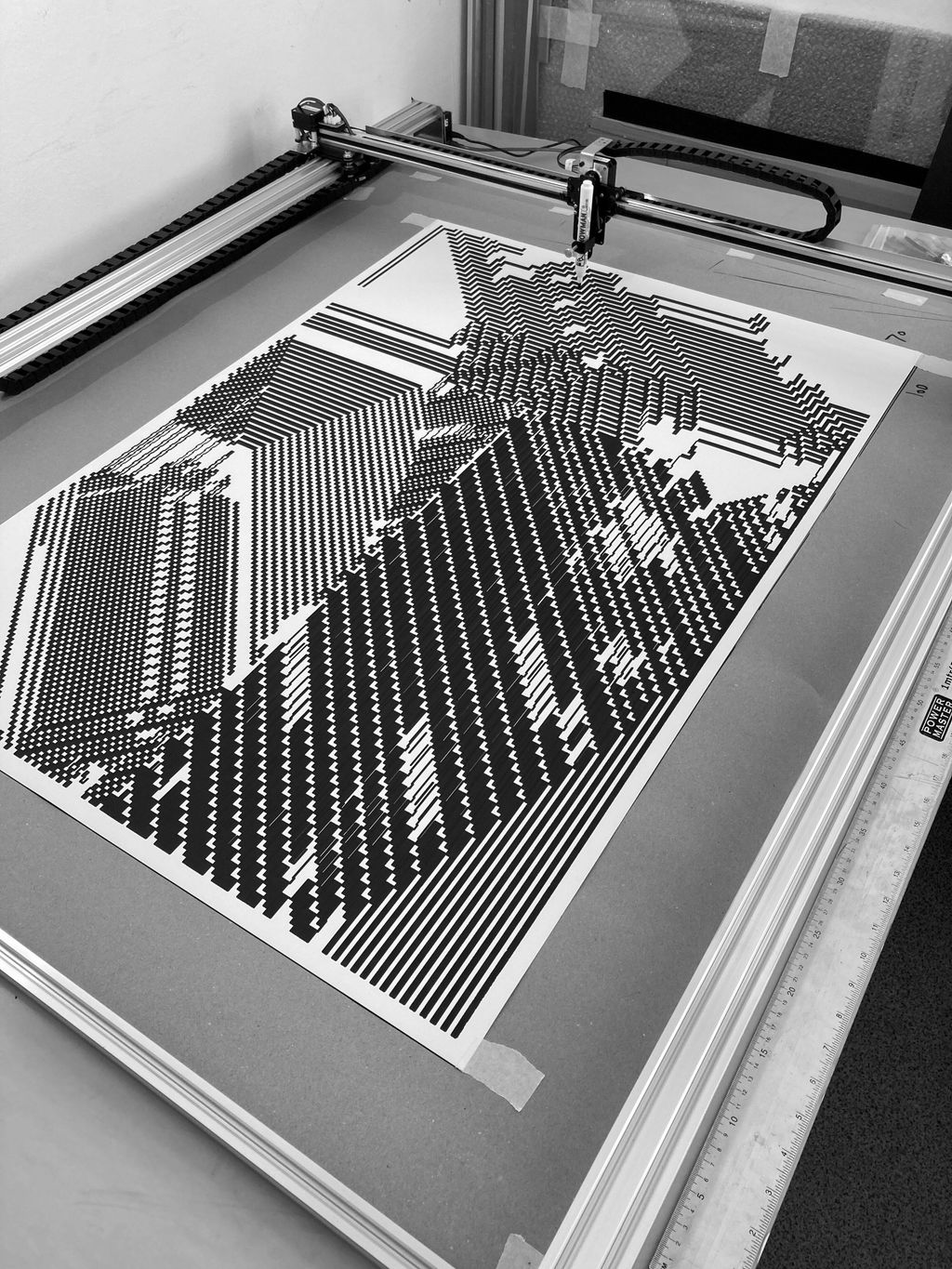
Setting up and installing was very straightforward. Was working with A3 plotters from before, but the change in scale makes an order of magnitude in differences. Very precise, easy to setup drawing material with the inkscape extension. If you have available space (had to reconfigure my whole studio due its size) I can highly recommend this drawing machine.
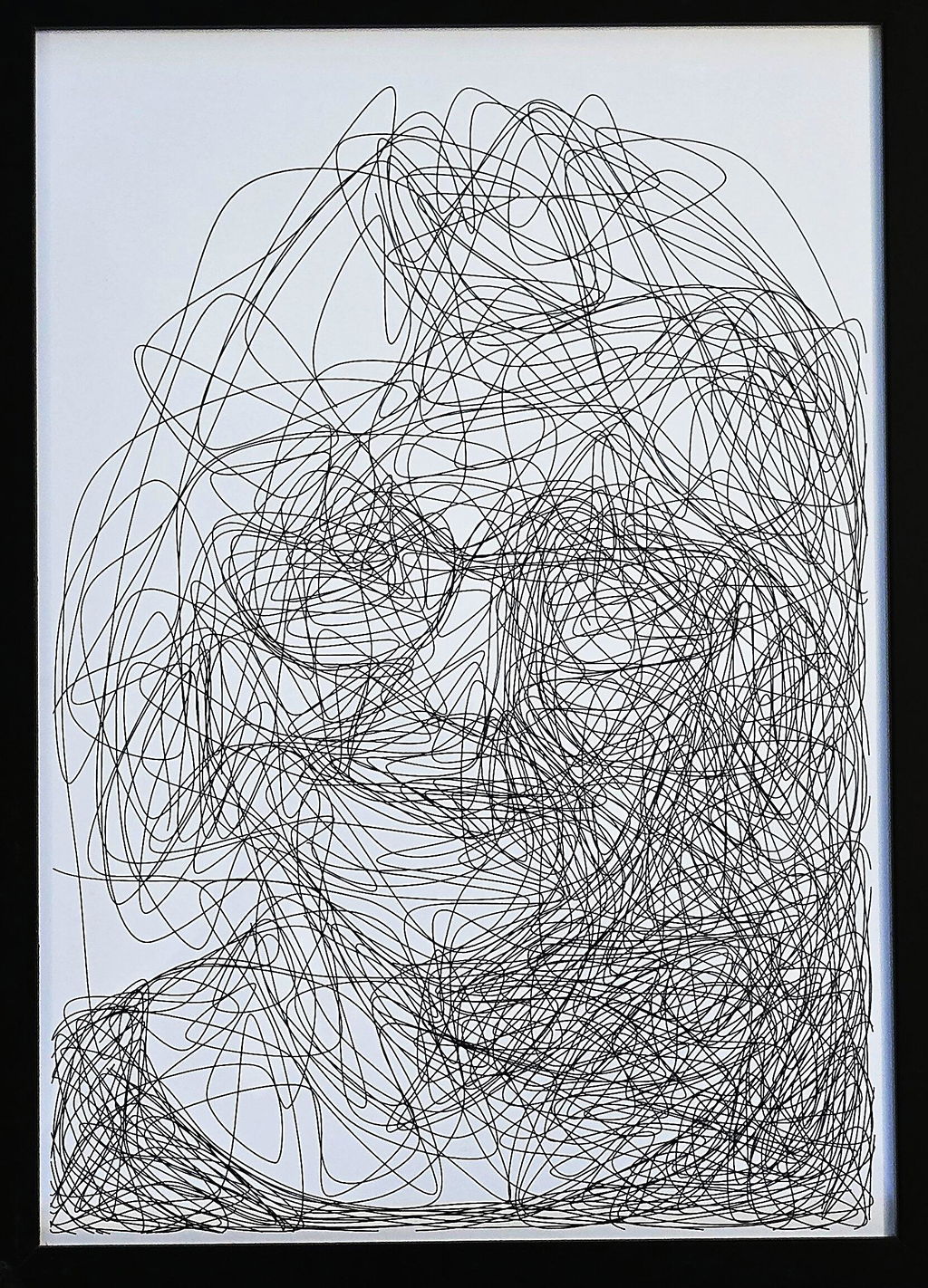
My first pen plotter the Uuna Tek H A3. I settled on this make and model after watching many videos on YouTube. Uuna Tek consistently came out looking the best so I took the plunge and pressed the buy it now button. A week later I had a large box delivered! Opening the box, it's clear the machine was well packed to withstand shipping. A "hand written" thank you card was a nice touch. Assembly was simple and straightforward. The machine is nicely designed and definitely has a quality feel to it. The software was easy to install, I used the inkscape download (with plugins pre-installed) from the Uuna Tek website. All very straightforward and simple! I've attached a couple of my first prints. I'm absolutely delighted with the machine and the quality of the plots it produces. If you, like I was, are initialising hesitating to press "buy it now" - then don't. Press that button - you won't regret it! Regards to you all from a very wet UK.
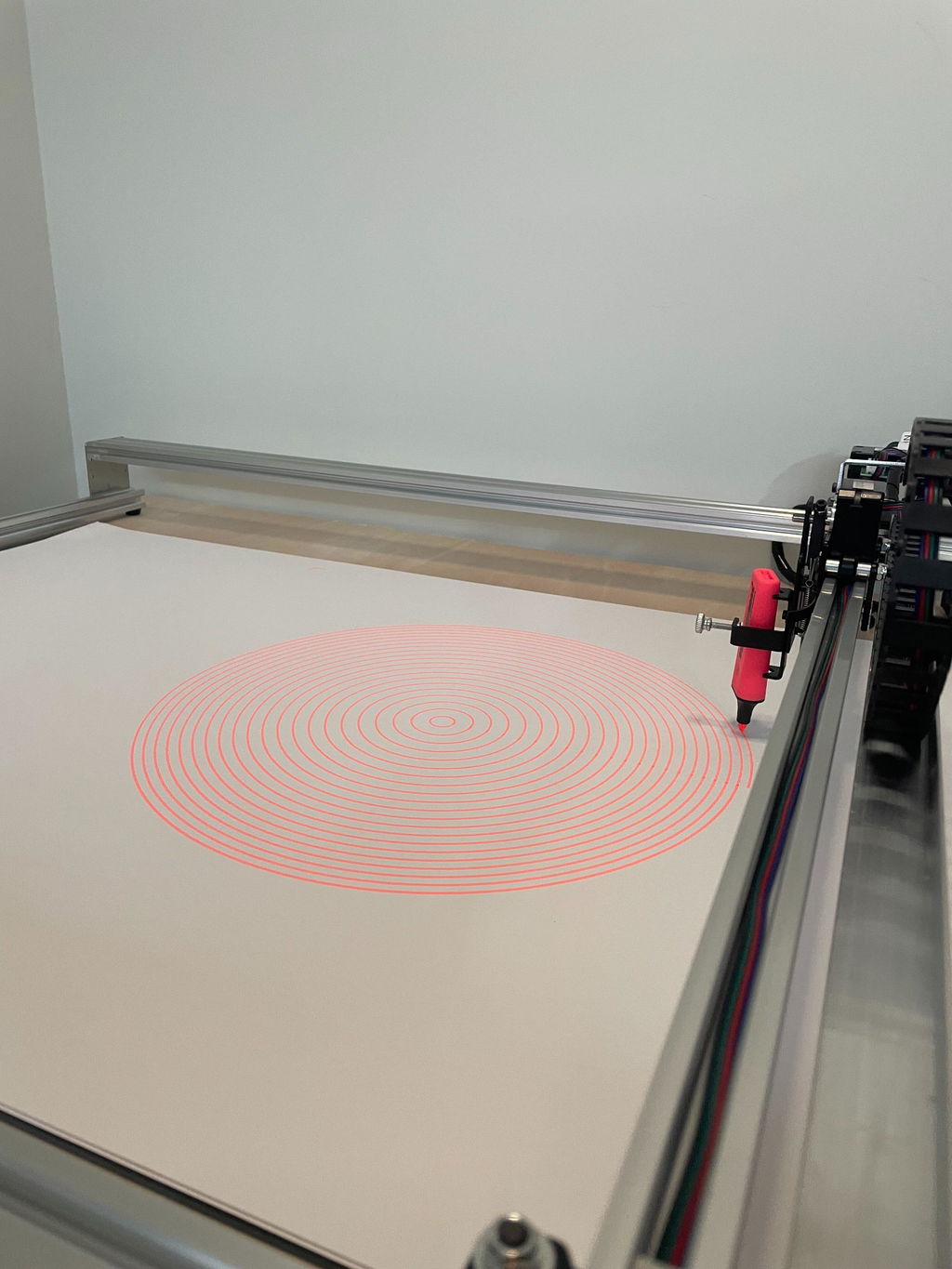
I purchased this plotter because previously I bought a Silhouette Cameo 4 Pro. That worked but it made a lot of noise and it was very hard to align multiple layers.
This plotter however solved both these issues for me. It is quiet enough to have it running in my room while my son is sleeping in his room next to it. So that's really a big plus.
Also aligning it and doing multiple layers was super easy.
Mounting it took me about 20 minutes. Which was also very easy.
All in all couldn't be more happier with this purchase.
May someday get the A0 version even.
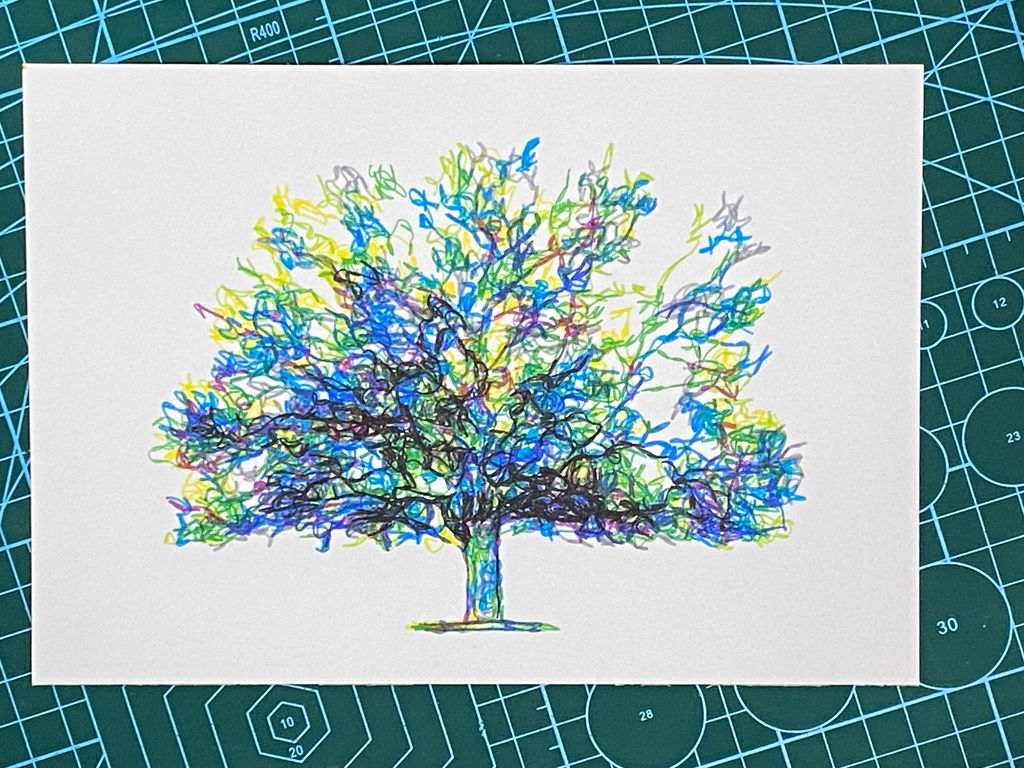
I am absolutely loving my UUNA TEK iDraw H A3 Pen Plotter! I have been using it every single day since I got it. One of the best things about it was the setup process. It was incredibly easy to assemble and get running right out of the box. The instructions were clear, and I didn't run into any issues at all.
I'm attaching a few pictures of the projects I've created with this plotter so far. It's a fantastic tool and I highly recommend it!
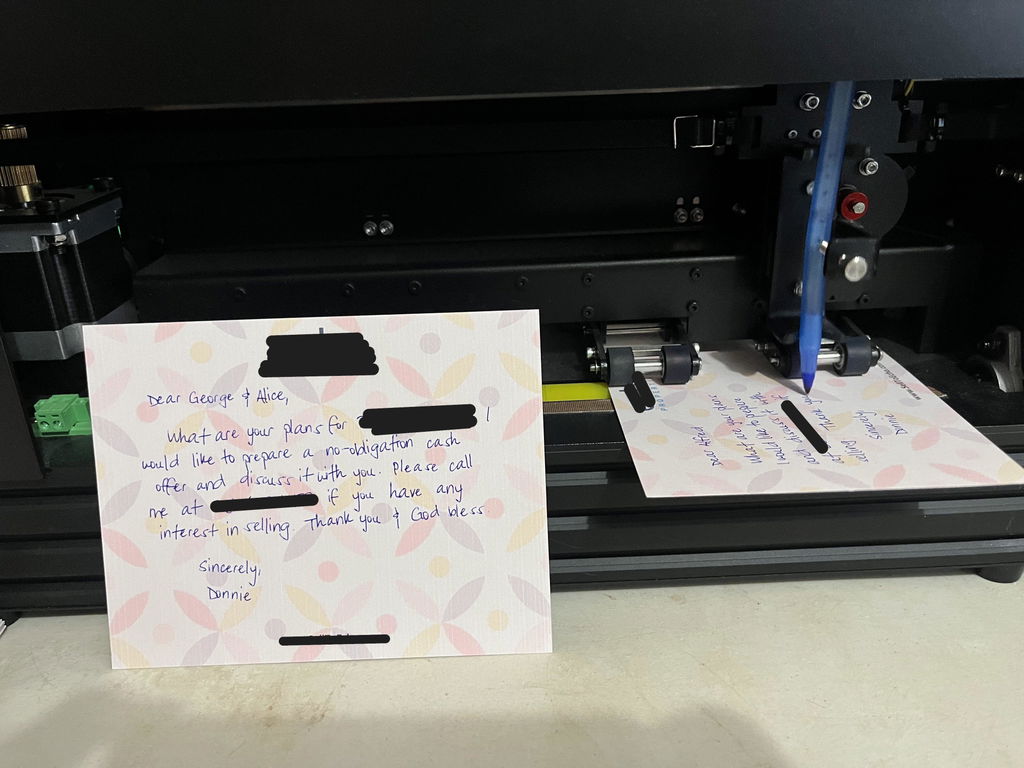
I would 100% recommend this machine if you are looking to write letters that look handwritten, whether it be cursive or print. I sometimes do cursive and sometimes print and both look amazing. My thoughts are below:
I bought this machine a year ago and have used it to write a few hundred letters per month on average. It's working just as good and even better since they updated the software to where it writes more efficiently/quickly so the time to write a letter has gotten a little faster. I use the machine for marketing to drive leads to me in the real estate industry to help buy and sell real estate.
I remember before I bought mine, I set up a call with them and we did a zoom call where the representative showed me the machine in action on the call and also showed me the software and assured me it would do the tasks that I was wanting to do for my marketing. Book a call if you are unsure and it solidified it for me that the machine did exactly what I needed it to.
The machine and software settings allow you to write letters that are as authentic as you can get and truly look handwritten. Now, you will have to tweak the software to get it to look exactly how you want and set it up to merge with excel, but it's worth it. They are absolutely great with their customer support if you ever need help. Once you have it set up how you like it, you save the settings so you don’t have to do it again. Then you can tweak it how you want it more easily once you get comfortable with changing all the settings. There will be a learning curve with it but they have helpful videos and of course customer service.
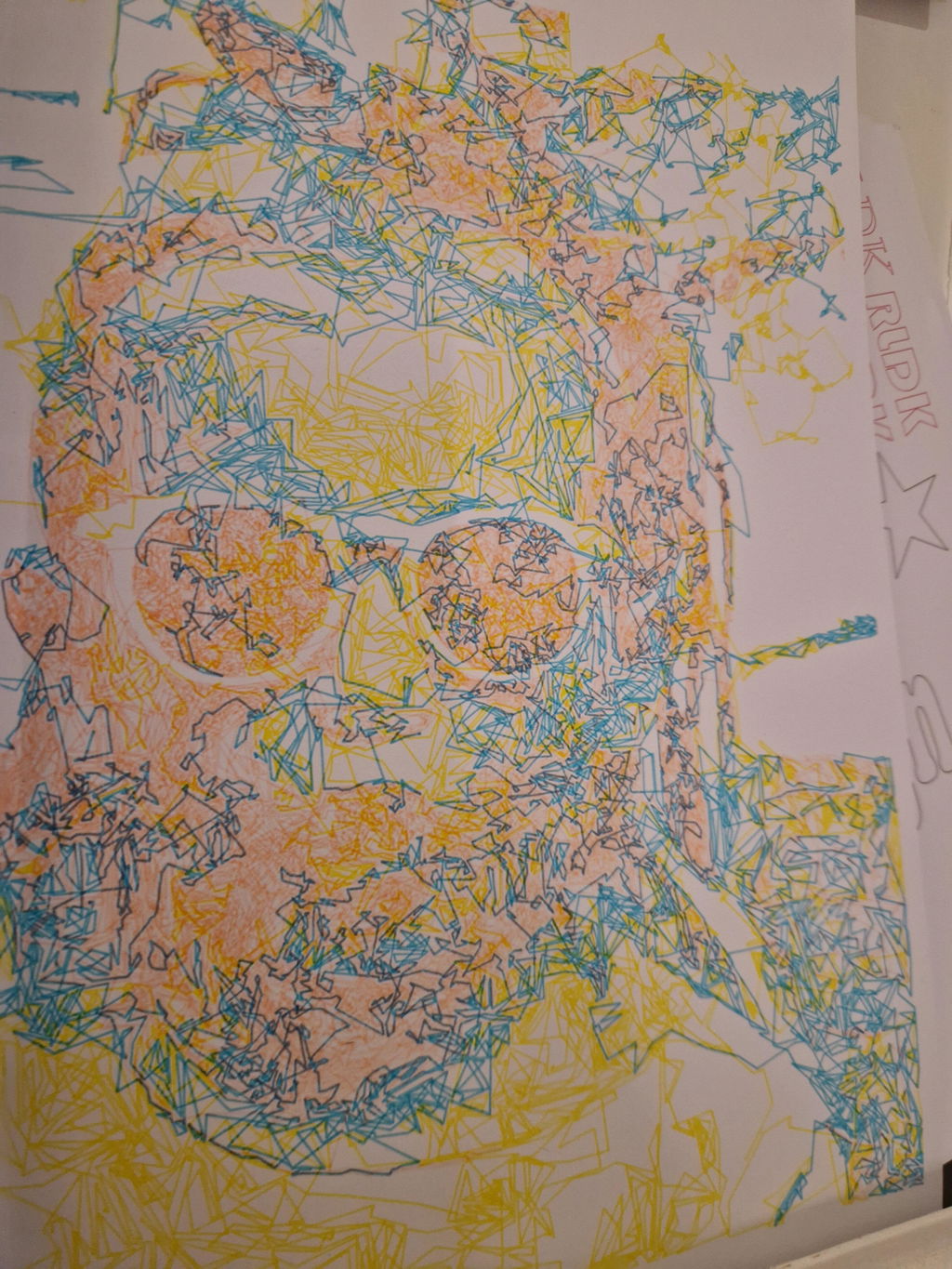
This is the second pen plotter I have owned, and I am thoroughly impressed with the upgrade in quality. The iDraw H SE (A3) feels incredibly solid and the operation is smooth and stable. As the title says, the precision is excellent; it handles complex vector files and fine lines without any issues.
Setting it up was straightforward, and it fits perfectly into my existing Inkscape workflow. If you are looking for a reliable machine that produces consistent, high-quality results, I highly recommend this one. I absolutely love it.
What customers think about the store
This store offers precision plotting and handwriting automation machines with exceptional build quality. Customers praise the fast global delivery, responsive technical support, and straightforward setup. The machines excel at personalized mailings, artwork cr...
AI-generated from customer reviews.
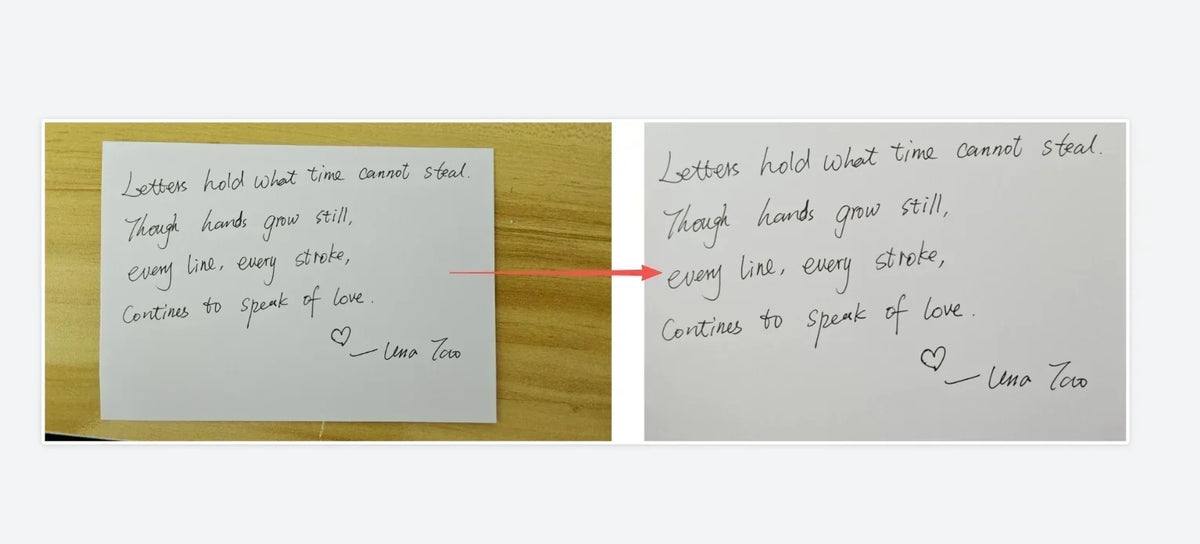
Case Study: From Photo to Pen: Preserving Loved Ones' Handwriting with iDraw Pen Plotter
Discover how Ian recreated his late wife's exact handwriting on personalized cards using the iDraw pen plotter and Inkscape centerline vector tracing. Read the story.
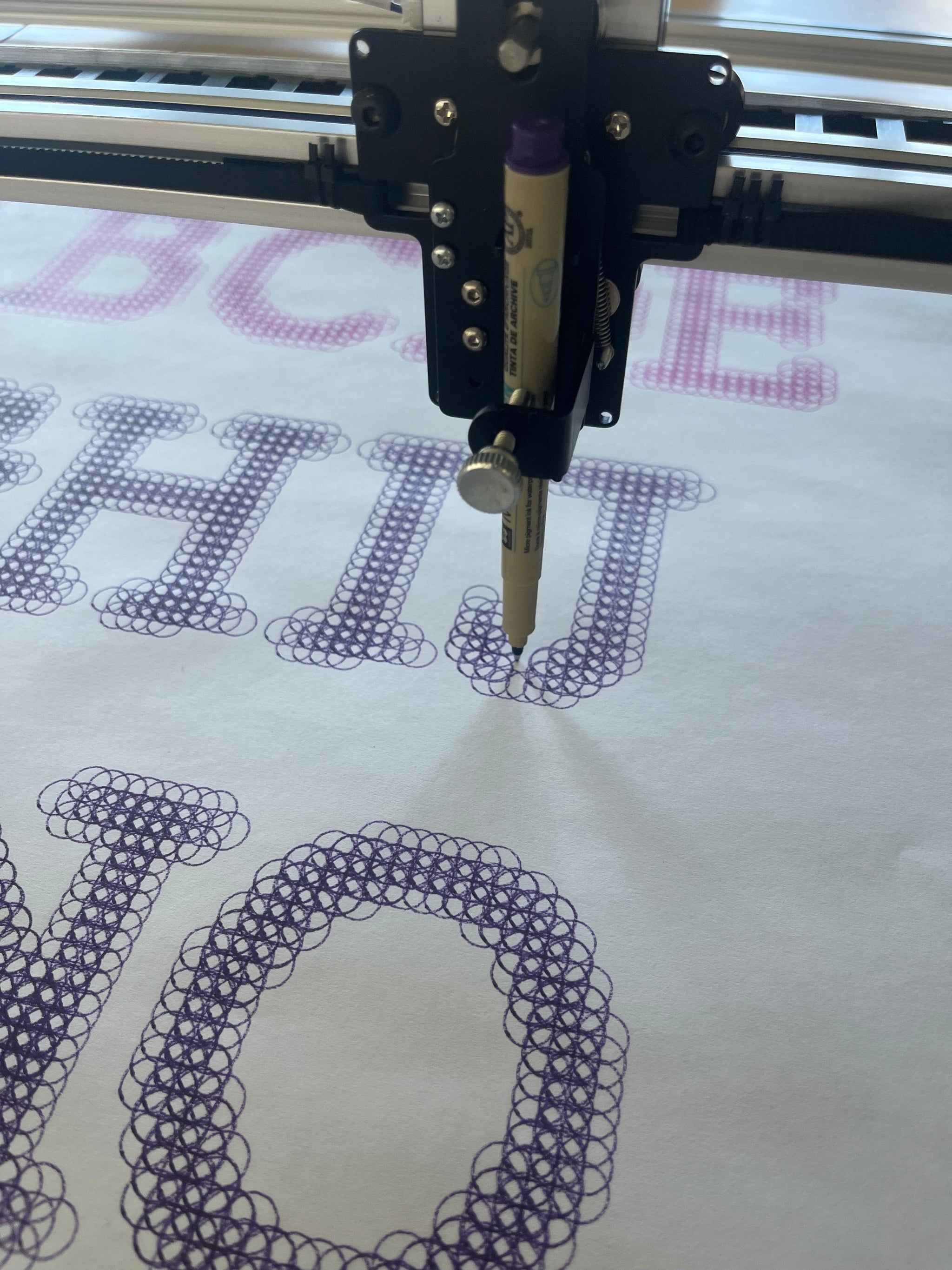
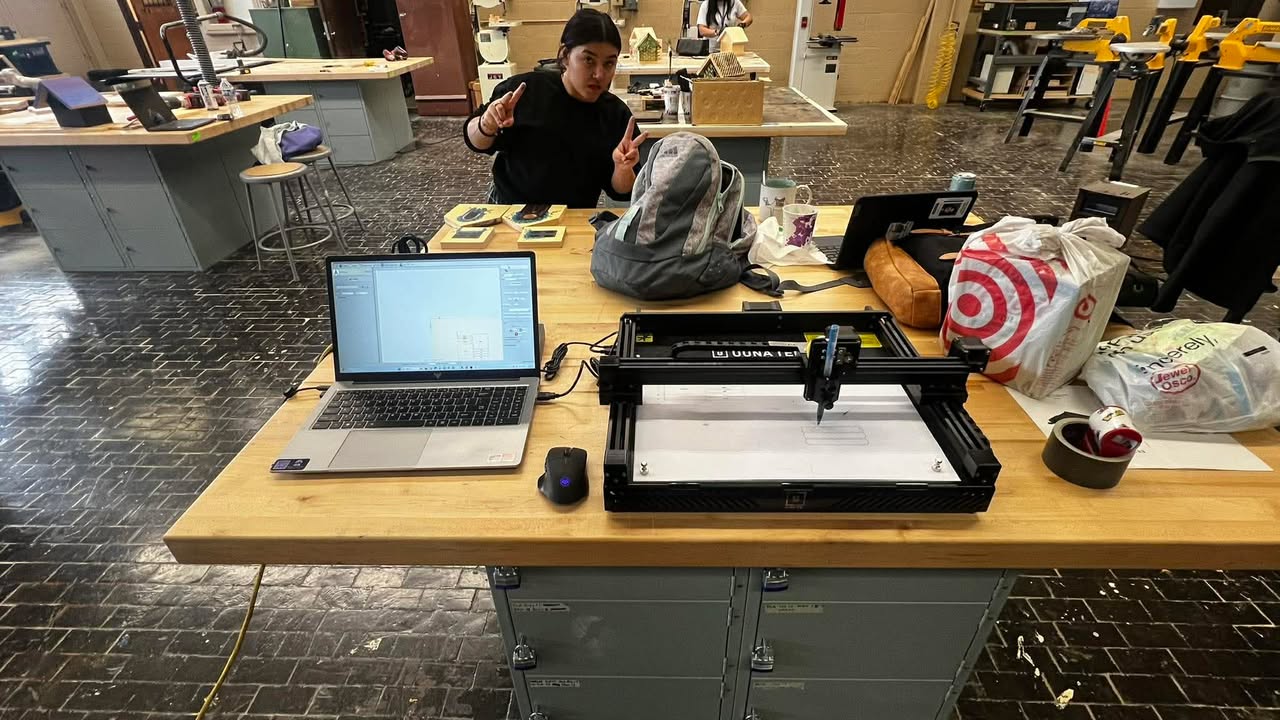
Case Study: How Students at Joliet Central High School Used the UUNA TEK 3.0 A3 Pen Plotter in Technology Education
Discover how Joliet Central High School students used the UUNA TEK 3.0 A3 pen plotter to turn digital designs into real artwork. A classroom case study on digital fabrication, problem-solving, and creative learning in technology education.
FAQ
Join the Celebration — Enjoy an Extra 10% OFF
Celebrate the Lunar New Year with us. Subscribe to our newsletter and receive a 10% OFF discount code as a thank-you, plus early access to launches and limited-time offers.