




UUNA TEK
iDraw H SE A3/A2 Drawing Robot for Artists, Generative Art & Handwriting Automation – Combines the Robust iDraw H Hardware with Flexible Axidraw Software
iDraw H SE A3/A2 Drawing Robot for Artists, Generative Art & Handwriting Automation – Combines the Robust iDraw H Hardware with Flexible Axidraw Software
Share
Couldn't load pickup availability
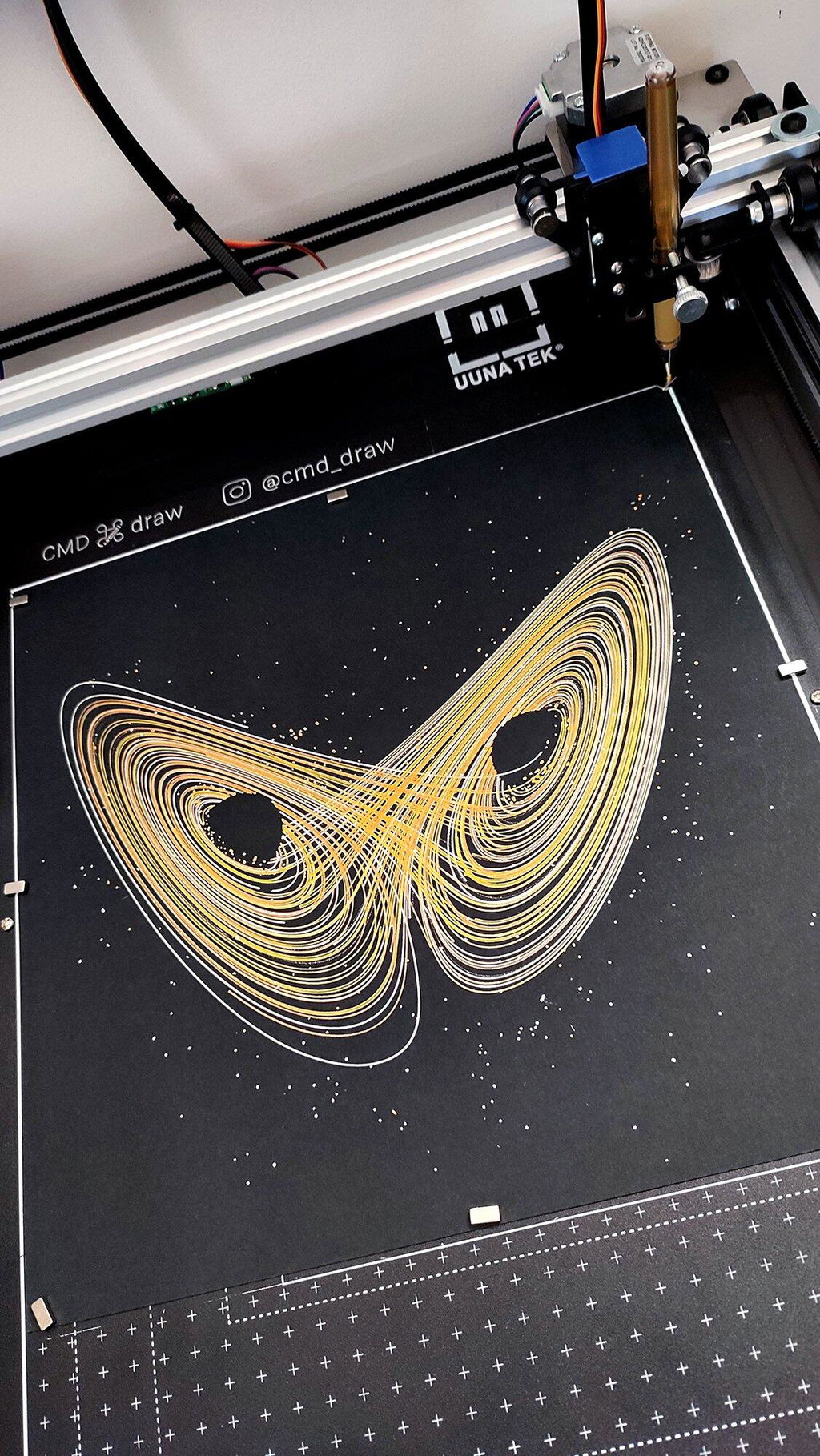
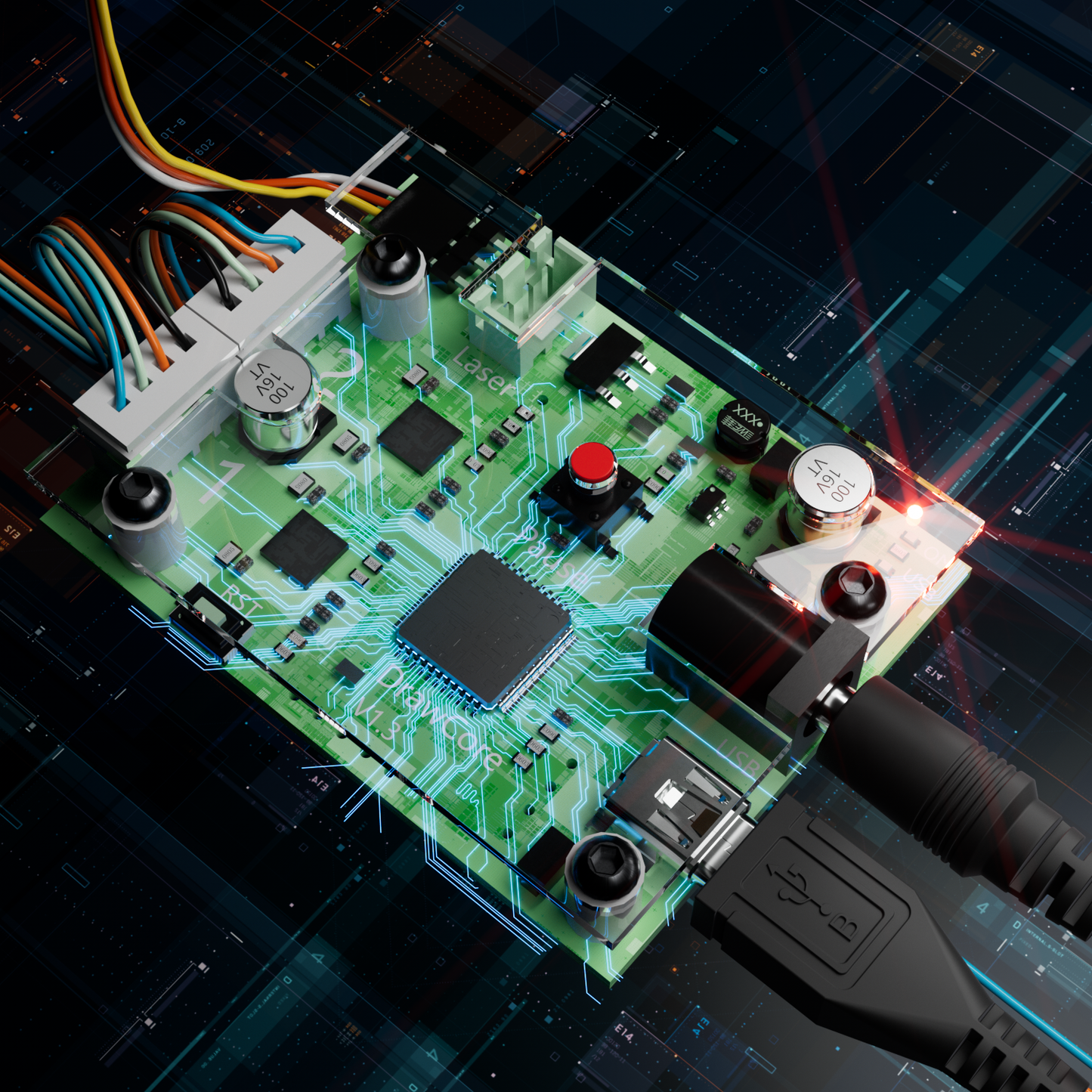
Introducing the iDraw H SE - A3/A2 Size CoreXY Drawing Robot for artists Pen Plotter Drawing Machine Writing Machine Signature Machine, the perfect blend of the robust iDraw H hardware and the flexible Axidraw software ecosystem. This versatile drawing robot for artists comes pre-assembled and ready to use out of the box, supporting a stand-alone command line interface (CLI) and the iDraw Python API for advanced customization. The PremiumUltra Scriptalizer feature adds unique font variations effortlessly. Achieve precise bulk writing with Email Merge and Hershey Fonts, while enjoying unmatched speeds up to 12,000MM/MIN. Powered by the DrawCore V1.3 motherboard with EBB firmware, it offers exceptional precision with a 0.0125mm resolution.
Please note that the H A2 size base plate does not include a measuring grid. Kindly be aware of this before purchasing.
Sometimes, the magnetic blocks maybe removed by carriers because of limitation, we will provide compensation if you can purchase them from local store or amazon shops, less than $10 in total. Thanks




Collapsible content
What is iDraw H SE?
The iDraw H SE is a pre-assembled A3/A2 pen plotter designed for artists, designers, and developers. It combines a precise CoreXY motion system with AxiDraw-compatible software, allowing you to create generative art, automate handwriting, and control drawings using a command line interface or Python API.
Who is iDraw H SE best for?
Artists & illustrators creating detailed pen drawings
Generative artists working with SVG, Processing, or algorithmic art
Designers using Inkscape or vector workflows
Developers building automation with Python API or CLI
Small businesses producing bulk handwritten letters, invitations, or cards
What can you do with iDraw H SE?
- Create generative art and algorithmic drawings
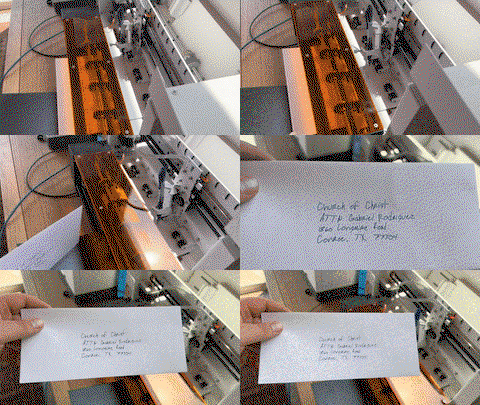
- Automate handwriting for letters, envelopes, invitations
- Plot directly from SVG files using Inkscape
- Use Python scripts or CLI for batch workflows
- Experiment with different pens, inks, and materials
- Produce precise, repeatable drawings at scale
Pros & Cons
Pros
- Fully assembled and beginner-friendly
- Strong compatibility with AxiDraw tools and workflows
- Supports advanced automation (Python + CLI)
- High precision and fast plotting speed
- Ideal for both creative and commercial use
Cons
- Learning curve for advanced features and scripting
- No laser engraving support (unlike iDraw H series)
- Documentation can require improvement for beginners
What Results Can You Expect?
With the iDraw H SE, you can produce:
- Fine-line illustrations
- Complex geometric and generative patterns
- Handwritten-style text outputs
- Multi-pen artistic experiments
Each output is precise, repeatable, and customizable.
Why Choose iDraw H SE?
The iDraw H SE is ideal if you want:
- A reliable, ready-to-use pen plotter
- A balance of creative flexibility and technical control
- A machine that works for both artistic exploration and automation
Main Features
-
🆕Advanced CoreXY Motion Structure
The motion structure utilizes a CoreXY design, providing enhanced precision and stability for all your drawing and engraving needs.
-
🆕All-in-one Design, Pre-assembled, Use Out of Box
This feature ensures that the drawing robot comes fully assembled and ready to use straight out of the box, allowing artists to start their projects immediately without any setup hassle.
-
🆕Support Stand-alone Command Line Interface (CLI) and Available iDraw Python API
This feature provides flexibility for advanced users, enabling control through a command line interface and offering an API for integration with custom Python scripts, enhancing automation and customization.
-
🆕Versatile Base Plate Design
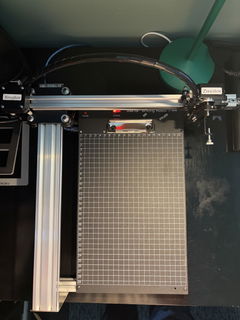
The redesigned base plate features various size positioning from A5 to A2, allowing artists to easily locate home points and drawing sizes.
-
Support PremiumUltra Scriptalizer
This feature introduces random font variation with ease, giving artworks a unique and dynamic appearance by automatically varying fonts in each project.
-
Effortless Bulk Writing with Email Merge and Hershey Fonts Support
iDraw H SE pen plotter supports Email Merge for bulk writing of letters, envelopes, cards, and invitations. Utilize Hershey Fonts for human-like handwriting.
-
Unmatched Speed - 3X Faster than Others
iDraw H SE redefines the game with a writing speed of up to 12,000MM/MIN, setting it miles ahead of the competition.
-
Cutting-Edge Technology
Powered by the DrawCore V1.3 motherboard and equipped with EBB firmware, it represents the pinnacle of innovation.
-
Precision Redefined
Achieve meticulous mechanical precision with a minimum resolution of 0.0125mm for both the Y and X axes, ensuring that your creations are exact to the finest detail.
-
Intuitive Control
Seamlessly manage your power rate, engraving speed, and input formats with the iDraw Control add-ons.
-
User-Friendly Connectivity
Connect via USB, offering flexibility for different operating systems, including Windows 7/8/10/11 or above, Mac OS, and Linux.
Collapsible content
Specification
Motherboard: DrawCore V1.3
Firmware: EBB
Add-ons: UUNA TEK H SE Control
Frame Materials: Aluminum Profile + Stainless Steel + Magnetic Steel Plate
Working Area: 420×297 mm (A3), 420×594 mm (A2)
Motors: CoreXY Motion Structure
Mechanical Precision: XY: 0.1 mm, Vertical Pen Travel: 15 mm
Minimum Motion Resolution: 0.0125 mm
Drawing Accuracy: 0.1 mm
Usable Pen Diameter: Up to 16 mm
Machine Net Weight: 6.1 kg (A3), 10 kg (A2)
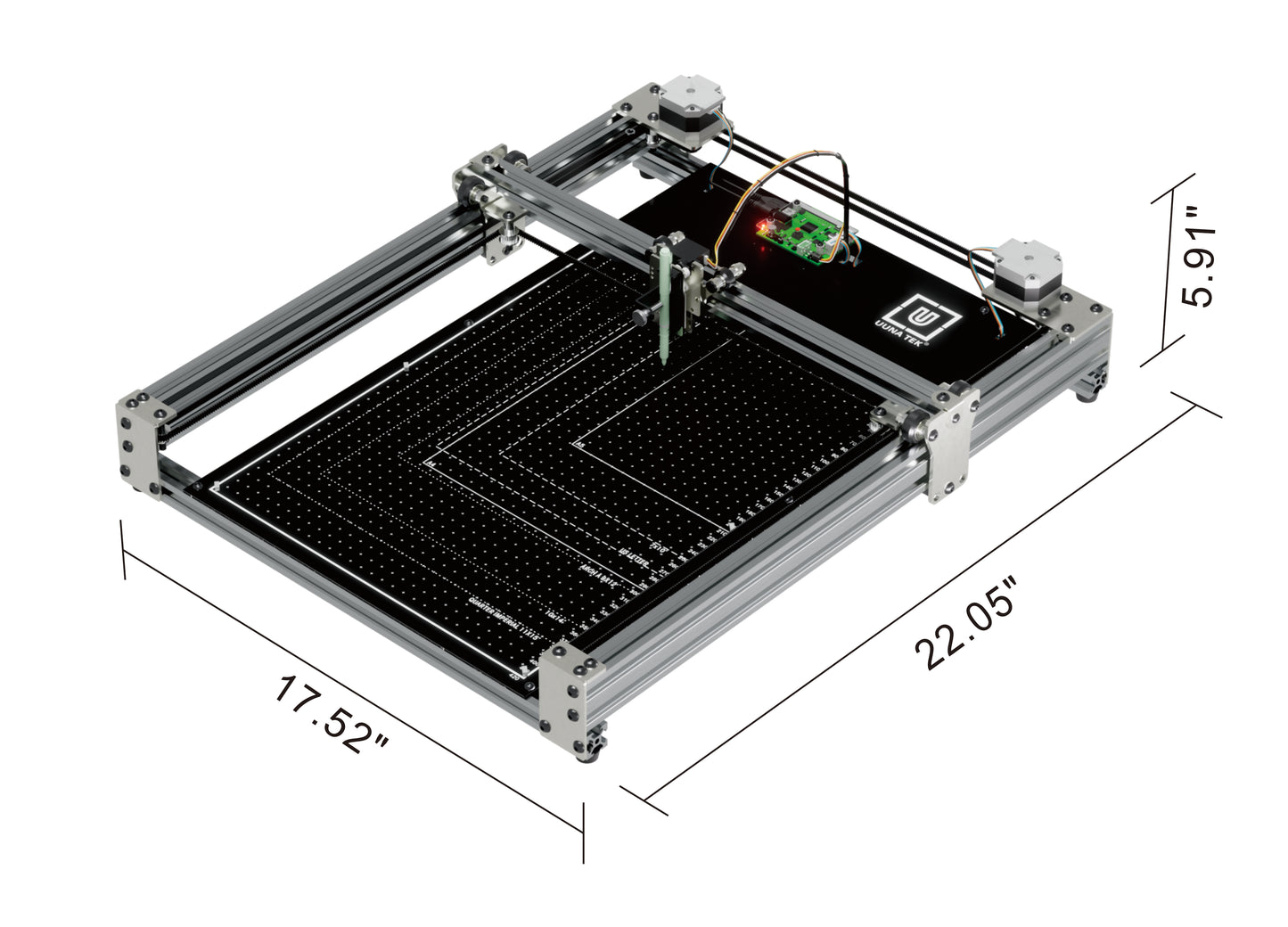
Machine Size: 560×460×115 mm (A3), 750×580×115 mm (A2)
Package Weight: 7.5 kg (A3), 19 kg (A2)
Package Size: 620×500×160 mm (A3), 810×630×190 mm (A2)
Maximum XY Travel Speed: 15 in/sec (≈38 cm/sec)
Native XY Resolution: 2032 steps/inch (≈80 steps/mm)
Reproducibility (XY): Typically better than 0.005 in (0.1 mm) at low speeds
Limit Switch: Y
Adjustable Angle for Pen: 70–90°
Connectivity: USB
Input Voltage: AC 100–240V (Compatible worldwide)
Power Adapter Output: DC 12V, ≥1A
Support OS and Software: Windows 7/8/10/11 or above (iDraw Software, Inkscape), Mac OS (iDraw Software, Inkscape for Writing and Drawing, Lightburn for Laser Engraving), Linux
Performance
Usable pen travel (millimeters): 420× 297 mm(A3), 420 x 594 mm (A2)
Vertical pen travel: 15 mm.
Maximum XY travel speed: 15 inches (38 cm) per second.
Native XY resolution: 2032 steps per inch (80 steps per mm).
Reproducibility (XY): Typically better than 0.005 inches (0.1 mm) at low speeds.
Physical
Major structural components are aluminum profile, stainless steel, magnetic steel plate.
Holds pens and other drawing instruments up to 16 mm diameter.
Software
You can always download the latest software here: https://uunatek.com/pages/downloads (Or Download directly here>>>)
Compatible with Mac, Windows, and Linux
Drive directly from within Inkscape, using the iDraw extension.
Comprehensive user guide available for download.
Driver software software free to download and open source
Internet access is required to download software.
Additionally, iDraw Merge software available at no cost to iDraw owners.
🆕Programming interfaces
Note: programming is not required to use the iDraw.
Stand-alone command line interface (CLI) .
RESTful API available for full machine control, stand-alone or accessible by running RoboPaint in the background.· Simplified "GET-only" API available as well, for use in programming environments (such as Scratch, Snap) that permit only retrieval of URLs.
Direct EiBotBoard (EBB) command protocol available for use in any programming environment that supports communication with USB-based serial ports.
Code that generates SVG files can also be used to (indirectly) control the machine.
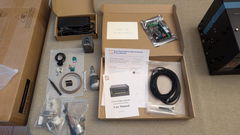
Packing List
1X iDraw H SE Pen Plotter
1XTool kit,
1XPower supply,
1XUSB cable
12XMagnets
1XQuick Start Manuel
1XThank You Card
Tutorials
For UUNA TEK 1.0 Pen Plotter, please check the video tutorials here>>>
For UUNA TEK 2.0 Pen Plotter, please check the video tutorials here>>>
For UUNA TEK H Pen Plotter, please check the video tutorials here>>>
For UUNA TEK H SE Pen Plotter, please check the video tutorials here>>>
For Software, please check the video here>>>
For Laser Function, please check the video tutorials here>>>
Policies
Shipping Policy: Cause this is the brand new product, all orders will be fulfilled within 2 weeks business hours. All packages will be shipped with DHL/UPS/USPS from our Chinese warehouses or Amazon warehouse, it will take 5-7 business days to your destination. Delay alert during sales seasons. Check the full policy here>>>
Return Policy: We will provide 1-year warranty for all products. Free return and refund will be only provided for any quality issue or damage during delivery. Contact us via support@uunatek.com before return it back. Check the full policy here>>>
| iDraw H SE vs iDraw H – Comparison Table | ||
|---|---|---|
| Feature | iDraw H SE | iDraw H |
| Motherboard | Drawcore V3.0 | Drawcore V2.0 |
| Firmware | GRBL Not Compatible | GRBL Compatible |
| Software Support | Full AxiDraw Functions + Python API + CLI, Inkscape Writing and Drawing | Inkscape Writing, Inkscape Drawing, Lightburn for Laser |
| Connectivity | USB | USB, Bluetooth |
| Working Area | 420 × 297 mm (A3) | 420 × 297 mm (A3); A2/A1/A0 options available |
| Mechanical Precision | X/Y: 0.01 mm | X/Y: 0.01 mm |
| Writing Speed | Up to 12,000 mm/min | Up to 12,000 mm/min |
| Engraving Speed | 0–5,000 mm/min | 0–5,000 mm/min |
| Laser Power Options | N/A | 0.5W / 1.6W / 2.5W / 10W / 15W |
| Frame Material | Aluminum | Aluminum + Steel Plate |
| Pen Angle Adjustability | 70–90° | 70–90° |
| Supported OS | Windows, Mac, Linux | Windows, Mac, Linux |
| Input Formats | SVG, PNG, JPG, JPEG, BMP | SVG, PNG, JPG, JPEG, BMP |
| Power Adapter Output | 12V / 1A | 12V / 1A |
| Operating Temperature | -20°C to 50°C | -20°C to 50°C |
iDraw H SE vs iDraw H (Quick Comparison)
Choose iDraw H SE if you want:
AxiDraw-compatible workflow Python API and CLI control A cleaner, software-focused experience
Choose iDraw H if you want:
Laser engraving capabilities More hardware expansion options Broader multi-function use cases
FAQ
1. What’s the Main Difference Between iDraw H A3 and iDraw H SE/A3?
The iDraw H SE/A3 is a special edition designed specifically for artists, with several key features that set it apart from the standard iDraw H A3. These top features include:
- Advanced CoreXY Motion Structure: This design provides enhanced precision and stability for all your drawing and engraving needs.
- All-in-one Design, Pre-assembled, Use Out of Box: The drawing robot comes fully assembled and ready to use straight out of the box, allowing artists to start their projects immediately without any setup hassle.
- Support Stand-alone Command Line Interface (CLI) and Available iDraw Python API: This feature offers flexibility for advanced users, enabling control through a command line interface and offering an API for integration with custom Python scripts, enhancing automation and customization.
- Versatile Base Plate Design: The redesigned base plate features various size positioning from A5 to A3, allowing artists to easily locate home points and drawing sizes.
2. What’s the Difference Between iDraw H SE/A3 and UUNA TEK 3.0? Which One Is Better?
Both iDraw H SE/A3 and UUNA TEK 3.0 are designed with an all-in-one structure and have similar functions like Email Merge and Random Font Variation. However, there are key differences between the two:
- Software Base: All iDraw series pen plotters are built on open-source software (Inkscape), while UUNA TEK series pen plotters use self-developed UUNA TEK software, providing more flexibility for the development of advanced functions.
- Font Creation: UUNA TEK series pen plotters feature a free font creator that can imitate your handwriting and create single-line fonts in any language, ideal for bulk writing tasks.
- Design Inspiration: The iDraw H SE/A3 is specially designed for artists with a customized base plate inspired by Jesper Ståhl, a renowned artist from Sweden known for his distinct Scandinavian design and object embedding story. Learn more about him here.
If you’re looking for the best drawing robot for your artwork, the iDraw H SE/A3 is highly recommended. For those who prioritize high efficiency and need free font creation for bulk writing tasks, the UUNA TEK 3.0 is the best option. For more buying guidance, visit this link.
3. Do You Have More Other Bigger Sizes?
Currently no, but if you need other sizes, please email support@uunatek.com to get quotation, we can customize the size you need for you.
4. I can plot it once, but it can't plot any more?
Please follow this guide:
1. take a short video to show all connections and software settings to support@uunatek.com for confirm
2. check if you check the option to Enable offline preview mode under Options-Preview&Alerts. It's not working for this version, please uncheck this option
5. How to set up the home corner for iDraw H SE Plotter?
Please check this guide: https://uunatek.com/blogs/tips-and-tricks/how-to-set-the-home-corner-of-the-idraw-h-se-pen-plotter
6. What should I do if I press the red button and the machine stops? Can I resume the plot?
Yes, you can resume your work after pressing the red emergency stop button. Once pressed, the machine will pause and wait for further instructions. To continue:
- Open your Inkscape software.
- Go to the Extensions menu.
- Find the Resume section.
- Select Resume (From Home) or Resume (From Where Paused) depending on whether you want to restart from the beginning or continue from the exact stopping point.
👉 Tip: Always make sure to choose the right resume option based on your project progress to avoid overlapping or incomplete drawings.
7. Why does my iDraw pen plotter throw an error when plotting anything larger than 215 × 300 mm, even though I want to use A3 size?
This usually happens if the wrong model size is selected in your software settings. By default, the software may be set to a smaller model (such as A4), which limits the maximum plotting area.
To fix this, go to:
Option → Config iDraw Model → Choose A3 size
Then try plotting again. Once the correct model size is selected, the machine will support the full A3 plotting area without error.
8. Is iDraw H SE good for beginners?
Yes. It comes fully assembled and works directly with Inkscape. However, advanced features like CLI and Python API may require some learning.
9. Can iDraw H SE replicate handwriting?
Yes. With Hershey fonts and email merge features, it can produce realistic handwritten text for bulk writing tasks.
10. What software does iDraw H SE support?
It supports Inkscape plugins, AxiDraw software tools, command line interface (CLI), and Python API integration.
11. Is iDraw H SE an alternative to AxiDraw?
Yes. It offers similar software compatibility with additional hardware flexibility and high-speed performance.
Having studied the pen plotter market for my first machine I decided on the iDraw A3 HSE. After ordering it took a few days for the machine to be readied for dispatch and I received an email saying it would be with me in the UK in around a week but somehow, to my amazement, it arrived the next day!
It was very well packaged and only needed a few cables plugging in to get going. The build quality is great and construction looks very good plus it’s nice and sturdy. I’ve only plotted on A4 paper so far but have found the bed to be perfectly flat.
It’s really accurate and fast if you want it to be. As with all pen plotters it’s mesmerising to watch.
Being new to pen plotting there’s a lot to learn but there’s a wealth of resources online waiting to be found. I couldn’t get a particular function to work (hidden line removal) but UUNATEK were great and helped me find a solution and now I can do it. There are only a couple of things I’d like to change on it - an on/off button would be nice and, as far as I can see, you can’t use the full A3 area if using an angled pen.
Overall, this is a fantastic pen plotter and I’m really impressed with it.
I have used a cutting plotter before, and have 3D printed some parts so I could also have it do pen plotting. It's less than ideal but gave me a taste of what was possible. I also found the required cutting plotter software frustrating and limited, for example, it could not directly use an SVG file without a tedious multi-step conversion process.
From the start, the iDraw H SE has proven itself to be much better suited for my needs. I do most of my work in Inkscape already, so being able to plot directly without having to switch programs and export/import files is a huge improvement.
The device is also clearly designed to be modified, and I already have some ideas for it: I want to be able to have it hold a calligraphy pen in the same way as a human hand. I can already angle the pen, but I also need that angle to be rotated. For now, I work around this by rotating the drawing in Inkscape and the paper. But in future, I could design something, have it 3D-printed and then simply screw it in place. All that matters is that the screw holes align neatly, it's so simple!
Shipping was pretty fast: package was dispatched from Hong Kong 2 days after I placed the order, and then took 14 days to arrive in the Netherlands. The device came fully assembled and ready to use.
Software was a matter of making sure Inkscape is up-to-date and then dropping some plug-in files into the right folder, as explained in the documentation.
There's perhaps more of a learning curve than with hobbyist devices like the cutting plotter I used before, but that is to be expected when using something for power users and professionals.
The other criticism I have is the price. It's very expensive compared to a cutting plotter. I was able to find plenty of reviews and video walkthroughs of the device, giving me a very good idea what I would get. A minute of searching got me a very good discount code for the device, so I figured I'd give it a shot. Now that I've used it, I'm definitely keeping it.
Attached is a timelapse video of one of the first things I did with the plotter, which was making holiday cards to send out!
This is my first plotter and I cannot say enough good things about it. It arrived perfectly and setup was a breeze, it just took 15 minutes and everything has been working great ever since. I'm really happy with it. The support is also excellent!
This is the second pen plotter I have owned, and I am thoroughly impressed with the upgrade in quality. The iDraw H SE (A3) feels incredibly solid and the operation is smooth and stable. As the title says, the precision is excellent; it handles complex vector files and fine lines without any issues.
Setting it up was straightforward, and it fits perfectly into my existing Inkscape workflow. If you are looking for a reliable machine that produces consistent, high-quality results, I highly recommend this one. I absolutely love it.
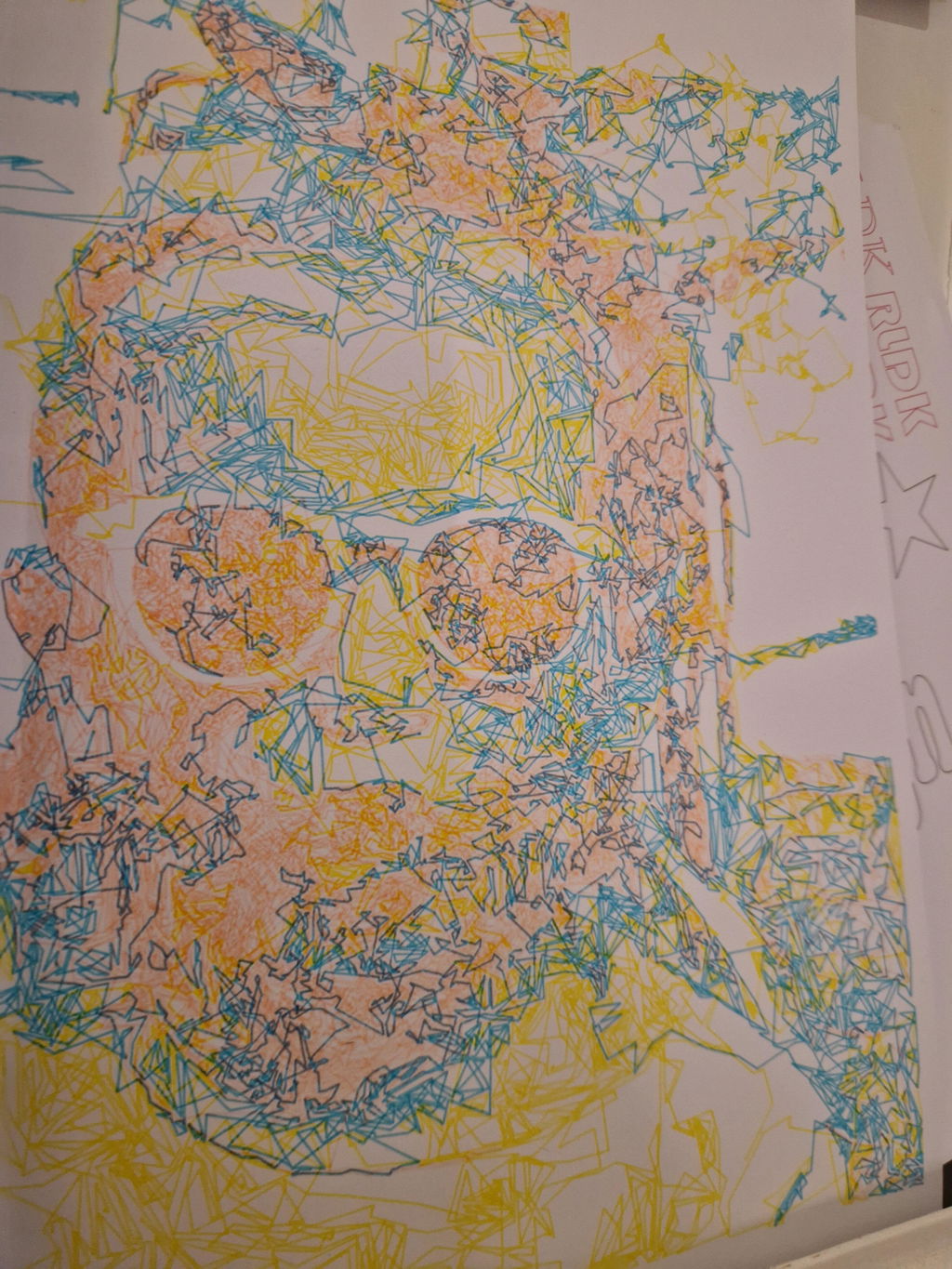
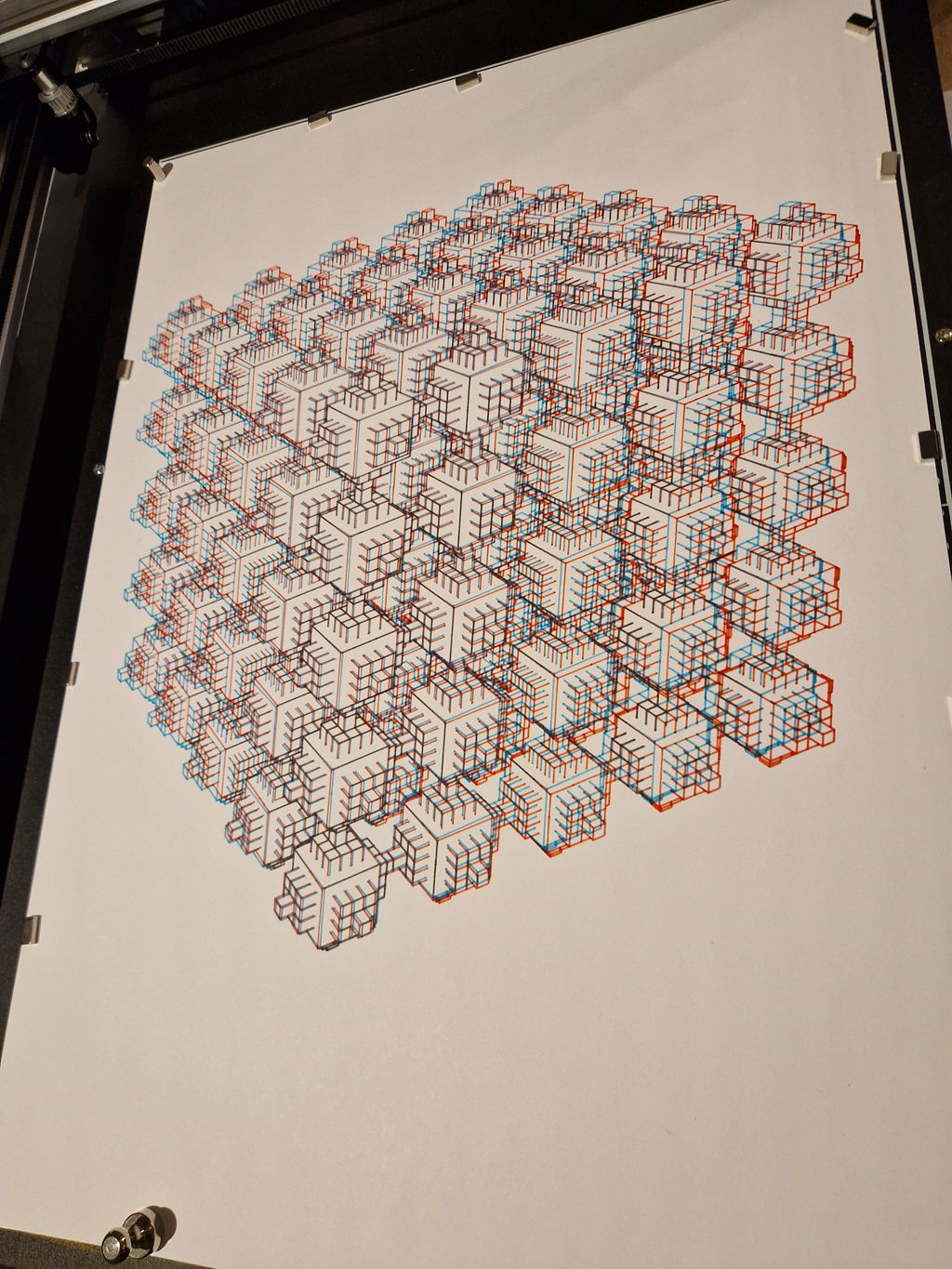
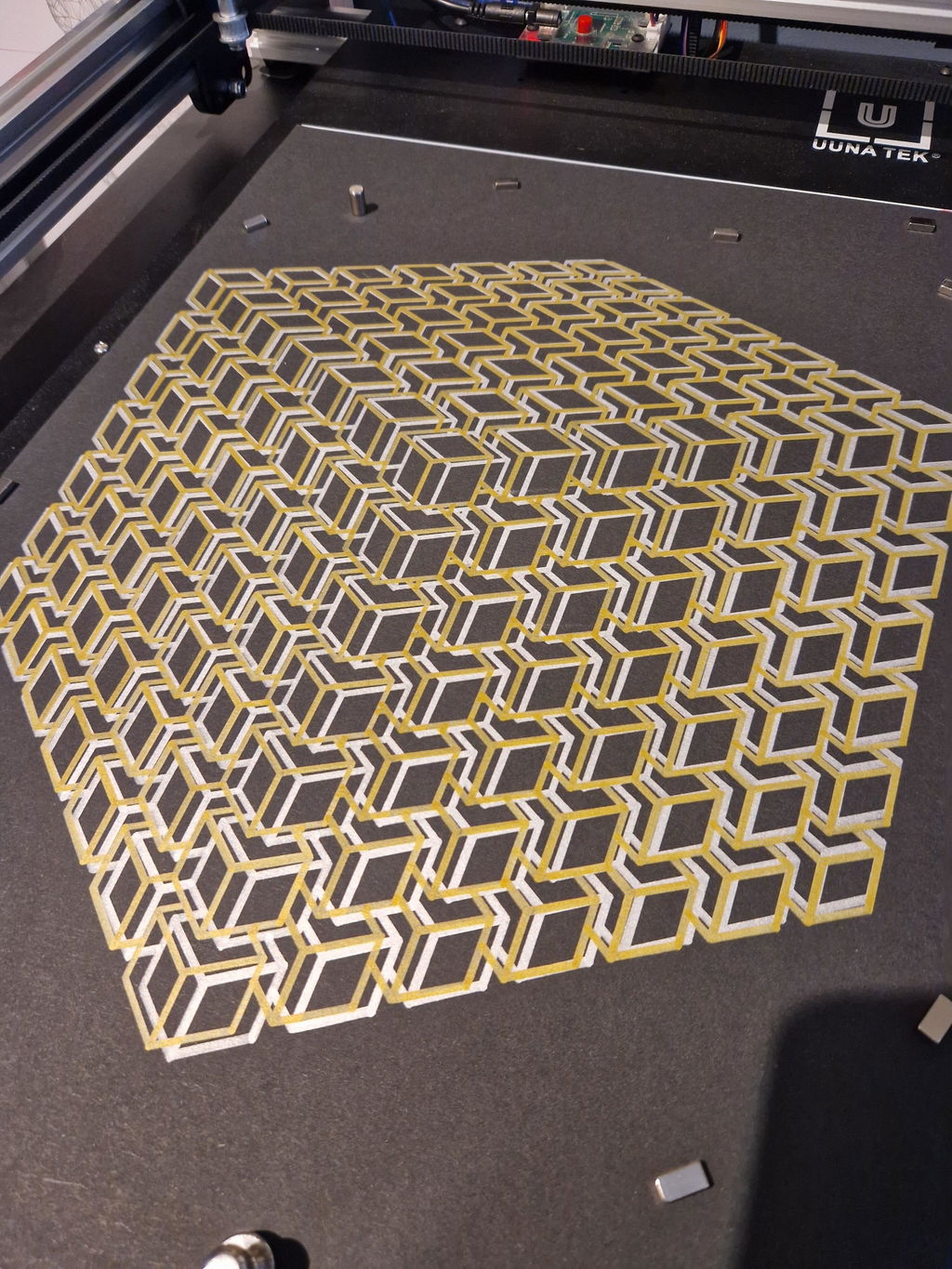
I have been using the iDraw H SE A3 for some time now, and I can say it is a very successful tool for creativity and experimentation. The device turned out to be quite easy to set up. After installing the software, everything works stably. I mainly prepare vector files in Inkscape and then send them to the plotter. The workflow is clear and logical, even for beginners.
The construction feels solid: a metal frame, smooth motion and good line accuracy. The plotter confidently works with different pens and markers, which is convenient for calligraphy, illustration and generative art. I have used it to draw patterns, lettering and educational projects. I especially enjoy watching digital ideas turn into neat drawings on paper. A great choice for artists, designers and techno-art enthusiasts.
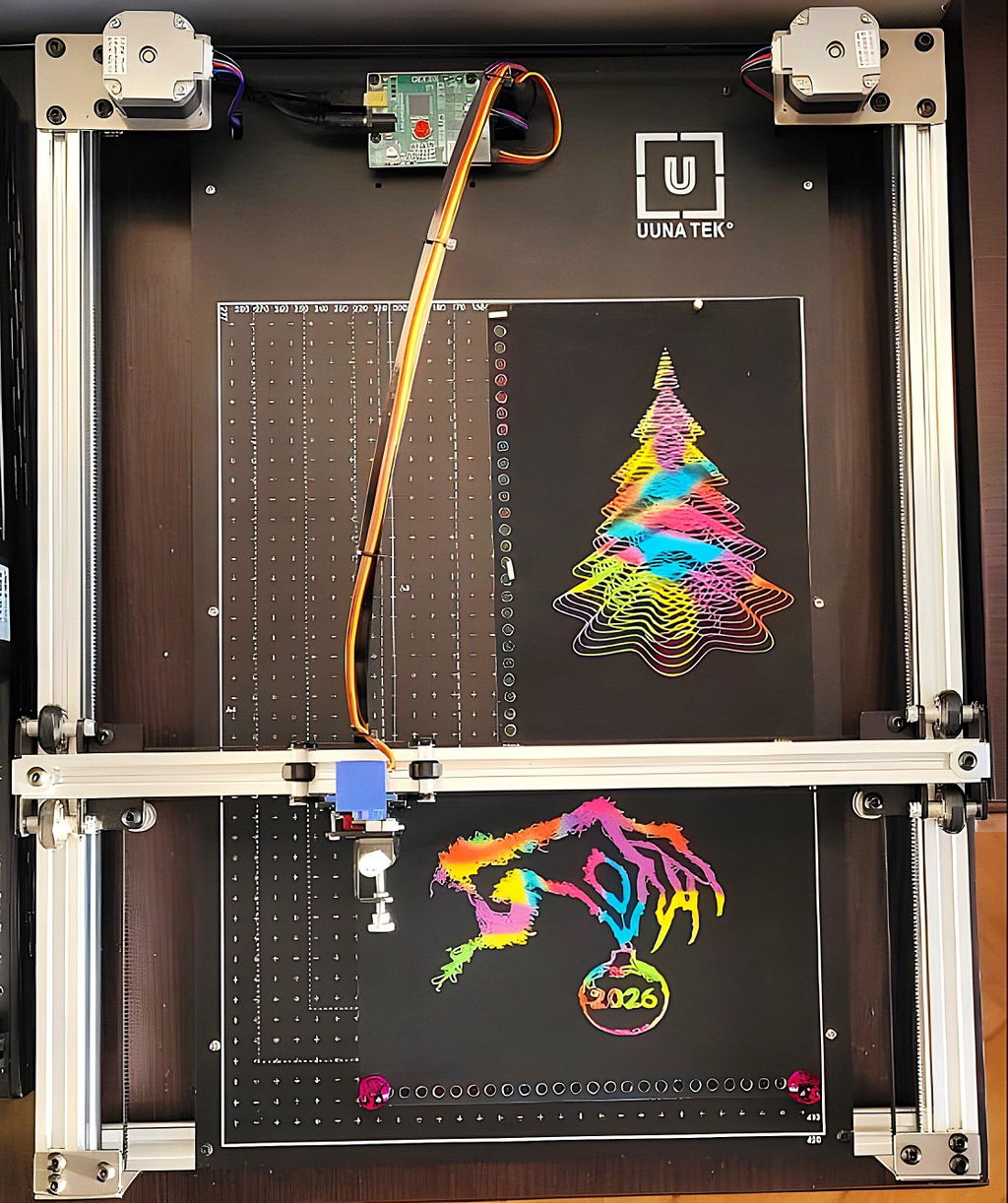
P.S. In the photos are my experiments with scratching on rainbow scratch paper.
Reviews in Other Languages
Intrigué par ces machines capables de dessiner mécaniquement des artworks créés sur ordinateur, et étant en capacité de créer moi même des SVGs grâce à mon expérience de Graphic Designer, il me fallait absolument tester cette machine...
Je l'ai donc commandée pendant leur offre anniversaire, et lorsque je l'ai reçue, tout a été très vite ; j'ai pu directement tester quelques artworks via Inkscape, dès la machine sortie de son emballage (un seul cable à brancher et c'est parti !).
La plus grosse difficulté finalement, est de trouver l'inspiration, et d'apprendre à connaître les différentes possibilités offertes par les nombreux logiciels capables de produire des SVG (Illustrator, Inkscape, Cavalry, Blender/Cinema4D, Processing en P5.js...).
Mais du côté de la machine iDraw en elle même, j'en suis absolument ravi ; elle est très robuste, bien finie, efficace et fonctionne parfaitement une fois l'extension iDraw HSE installée dans Inkscape ; je la recommande chaudement pour tout artiste souhaitant se mettre au pen plotting sans les inconvénients du montage !
J'ai hâte de tester un maximum de techniques, de crayons et de papiers pour mes prochains projets !